Twitter, now X, rolled out a new feature of saving your favourite posts to see later on. Now you can see valuable posts anytime you want. Bookmark the latest posts from the feed while scrolling down to view them again. Many times, it happens that you are scrolling through your X feeds and you have to leave midway for urgent work. Bookmark features allow you to see the post at your convenience. You can watch the saved feed where you have left off. However, the intense curiosity is all around going on, so can people see your bookmarks on X? Let’s explore how to bookmark the Twitter feed post and maintain your privacy.
History of the Twitter Bookmark Feature
The bookmark feature has been in effect since 2018. It started an initiative to protect the privacy of users while keeping the users’ interests alive since 2017. It began experimenting with how to save the tweets in the private folder of users so that anyone can revisit them. The bookmark feature was launched with an additional “share icon” feature that is visible beside every tweet.
The bookmark feature of Twitter supports access from any iOS, Android, desktop, and Twitter Lite. The bookmark feature allows Twitter users to share the tweets from the saved folder to any social media platform, like WhatsApp or Facebook.
Can people see your bookmarks on X?
People often wonder what will happen if bookmarks get visible to someone else. But you have nothing to worry about because your bookmark list is completely private to you. No one can access it under any condition. Twitter puts a high priority on user privacy and safeguards the user’s rights. However, you have to know the right process of creating bookmarks. We often misunderstand the difference between bookmarking and listing on Twitter. But the functionality and purpose of a list and a bookmark are completely different. Let’s see how Bookmark and X List differ from each other.
Difference between a bookmark and an X List in Twitter
Twitter X List is not the same as Bookmark. They are different in terms of application. The Twitter list enables users to organise posts from other accounts. The X List created by you can be public or private, but the bookmark is always private to you. No one can see your bookmark list. But if you create an X List with public mode on, anyone can check your updates.
How to follow someone else’s list
Visit the Twitter account of the user whose list you like and want to follow. Click on their list and follow the list for following up. You will not receive updates of posts from your chosen list directly on your feed. You have to follow that user’s Twitter account to get notifications in your feed.
But you can check your saved list by following these steps:
Step 1: Visit the user’s profile.

Step 2: Click on their Lists.

Step 3: Select the list you want to follow.

How to create your own list
You can also create a Twitter list by yourself. Create a new list from the Lists tab, and give it a proper name as you want, with a brief description. The name should be within 25 characters. You can make your list private by selecting the option “only accessible to you.” You can make it visible to the public by selecting “anyone can follow the list.”
How to bookmark your favourite tweet?
Learn how to use bookmark features to save any tweet privately. Bookmark your favourite tweet in a few simple steps. Use the bookmark features to have a wonderful social media experience. You can organise your favourite tweets and open them whenever you want. You will never lose the valuable information you want to revisit. The bookmark process is different for mobile devices and desktops. You will get the answer to the leading vibe: can people see your bookmarks on X?
- Bookmark tweets on desktop
Step 1: Choose the tweet from the feed that you want to revisit again for useful information. Go to the Share Icon (📤) and select the option “Add Tweet to Bookmarks.”

Step 2: Check the left-hand side panel and click on the bookmark sign (🔖) to view your saved post from the saved folder.
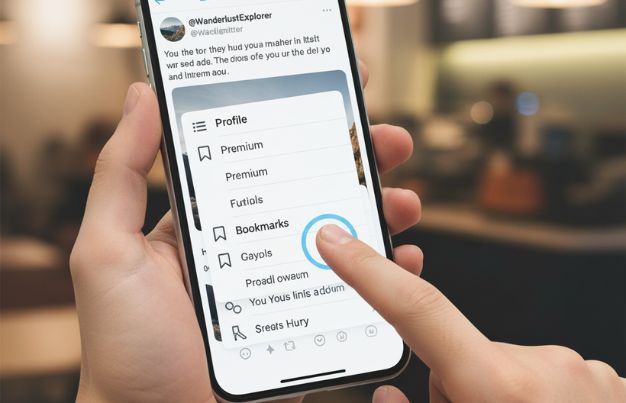
Step 3: Now, suppose you want to remove the tweet from your bookmark list because you do not need it anymore. Nothing to worry about.
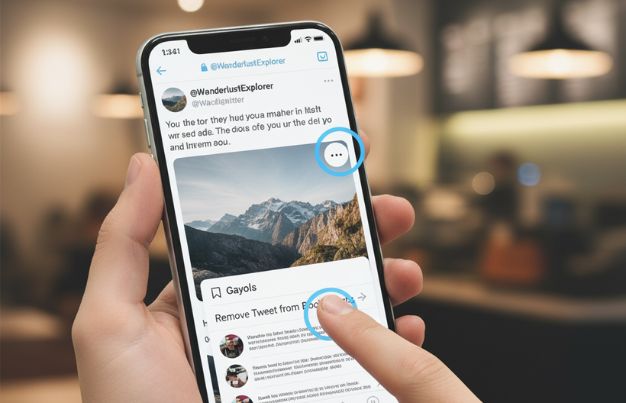
- Go to the saved bookmark sign (🔖) from the same share icon (📤) and open the tweets from the bookmark list.
- Choose “Remove Tweet from Bookmarks.”
- You can do the same process by clicking the three-dot more options (•••) available at the top of the bookmark list.
This entire bookmark list is not visible to anyone except you. This list is completely private to you. You can easily follow these steps and prepare a bookmark list for quick access anytime from your desktop, maintaining privacy.
- Bookmark tweets on mobile devices
The bookmark process of Twitter in the mobile application is similar to the desktop, but the displays are different. So, you may find it different from the desktop process, but follow these steps and check the icon as mentioned here to prepare the bookmark list.
Step 1: Scroll through your feeds for a tweet you want to bookmark. Select the share button.
Step 2: You will get a pop-up window appearing on your mobile screen. Click on the bookmark option (🔖).
Step 3: Once you click on the bookmark icon, the tweets will be added to your list. You can remove the tweet from your list anytime you want, as we mentioned in the desktop bookmark process.
Final Thoughts
Bookmarks of Twitter accounts are completely private for every user. You can see the bookmarked saved items after logging into your Twitter account. No one can view this except you. But you have to make sure you are creating a bookmark instead of an X List. They look similar, but their functionality is completely different. You can make the X List visible to the public, but you can never do that.
Frequently Asked Questions
Q1. Can people see your bookmarks on X?
No one can see your bookmark list on Twitter. Only you have access to it.
Q2. When to use a list instead of a bookmark?
If you want to see the favourite posts on Later, then you can create a bookmark. A Twitter list is different from a bookmark. When you want to see posts of other accounts or groups, you have to create a list.
Q3. Can I remove any post from my bookmark list?
Yes. You can remove posts from the bookmark list anytime you want.
Q4. Which platforms does Twitter support for bookmarking?
Twitter bookmark features are available on desktop, mobile applications, Android, and iOS.