Someone nearby searches for “AC repair near me” on their phone. A few local businesses appear on Google Maps, and the customer calls one with good reviews, accurate business information, and convenient opening hours. If your business doesn’t appear in the results, you could miss that customer without ever knowing it.
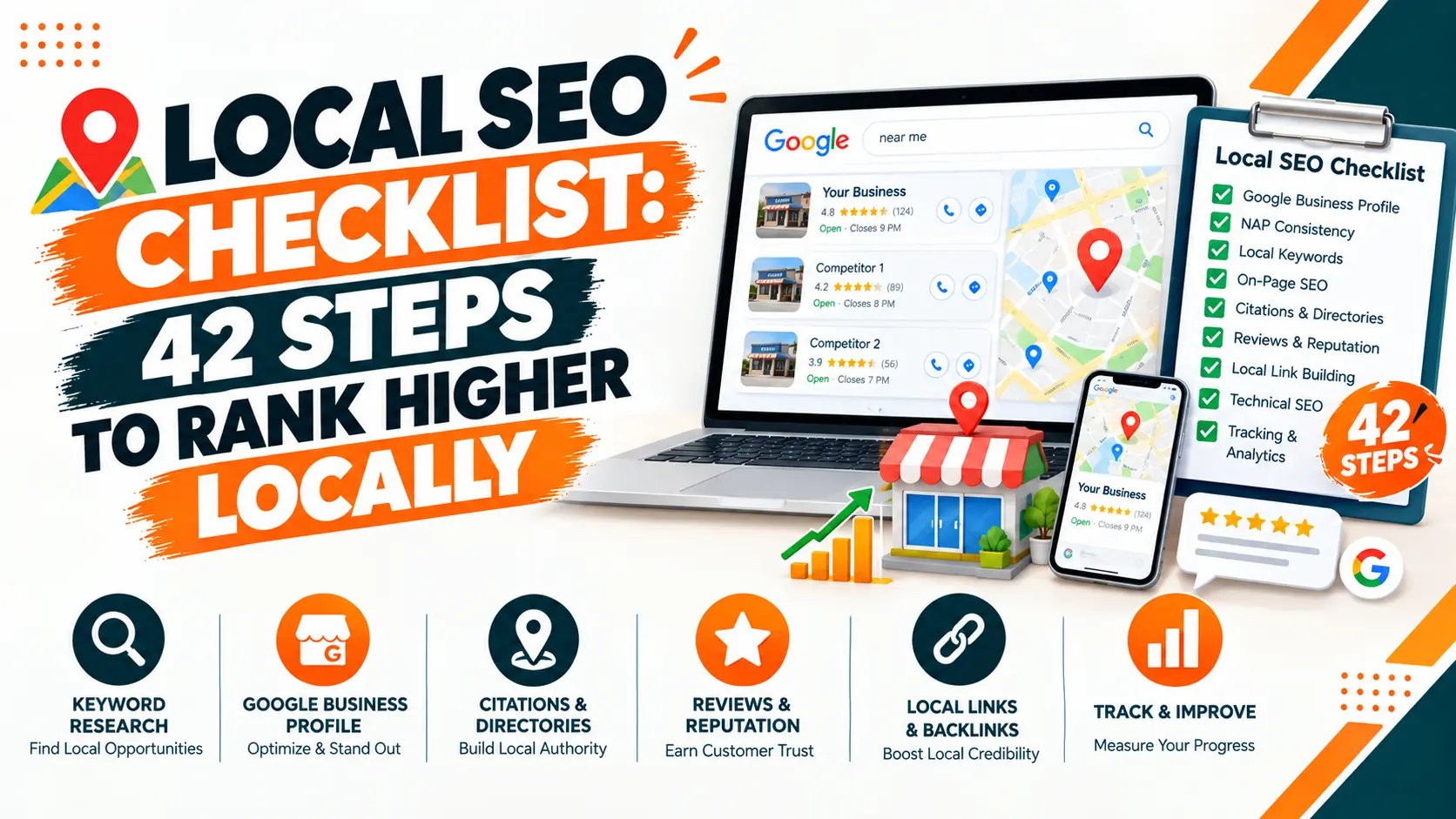
That’s where local SEO comes in. It helps your business appear in searches related to your services and location, making it easier for nearby customers to find and contact you. This local SEO checklist covers 42 practical tasks, from optimising your Google Business Profile to improving your website, managing reviews, earning local links, and tracking results. You don’t need to complete everything in one day. Start with the most important tasks, then work through the rest over the next month.
Why Local SEO Matters
Local SEO helps businesses appear in searches connected to a specific location. These searches include phrases such as “dentist in Pune,” “plumber near me,” and “best cafe in Jaipur.”
People making these searches often want to visit a business, book a service, or speak with someone soon. Appearing prominently in local results can help you reach these customers when they’re ready to take action. Local SEO also helps your business appear in Google Maps, the local results shown in Google Search, and other relevant search experiences.
How Google Determines Local Rankings
Google identifies three main factors that influence local search rankings.
- Relevance: How closely your business matches what someone is searching for. An accurate business category, complete profile, and useful website content help Google understand what you offer.
- Distance: How far your business is from the searcher or the location mentioned in the search. You cannot directly control this factor, so focus on improving the signals you can influence.
- Prominence: How well known your business is. Google may consider factors such as links, reviews, and information about your business across the web.
These factors work together. A complete profile alone cannot guarantee a top position, particularly in competitive locations.
42-Step Local SEO Checklist
Use this local search checklist to build a stronger presence in location-based searches. Work through the tasks in order, starting with the basics before moving to website optimisation, reviews, local links, content, and AI-powered search.
Group 1: Establish Your Local SEO Baseline
Before making changes, record how your business performs. This gives you a reference point for measuring progress.
- Set up Google Search Console. Check which queries bring visitors to your website, which pages receive impressions, and whether important pages are indexed. Done when: your site is verified and your sitemap is submitted.
- Configure Google Analytics. Track website visits, enquiries, calls, form submissions, and other meaningful actions where possible. Done when: calls, form submissions, and other enquiries are recorded as key events.
- Record Your Current Local Visibility. Check your position for five important service-and-location searches. Note that rankings can vary by searcher location. Done when: the five searches, the date, and the location you checked from are saved in one sheet.
- Record Your Business Performance. Note your existing reviews, average rating, calls, direction requests, website enquiries, and other available local performance metrics. Done when: today’s numbers are written down so you can compare them later.
For example, an electrician in Noida might track searches such as “electrician in Noida,” “emergency electrician Noida,” and “electrical repair near me.” Avoid relying on a single manual Google search to judge rankings. Use consistent locations and tracking methods when comparing results over time.
Group 2: Optimise Your Google Business Profile
Your Google Business Profile is one of the most important parts of local SEO. It helps customers discover your business on Google Search and Maps, view essential information, and contact you.
- Claim Your Business Profile. Search for your business on Google. Claim the existing listing or create a new one if necessary. Done when: you can sign in and manage the profile.
- Complete Google’s Verification Process. Follow the verification method offered for your business. Verification helps establish that you manage the profile. Done when: the profile shows as verified.
- Choose The Correct Primary Category. Select the category that most accurately describes your main business. Done when: the category matches the service that brings in most of your work.
- Add Relevant Secondary Categories. Include other categories only when they genuinely describe your business. Don’t add unrelated categories to target extra keywords. Done when: every extra category describes something you really offer.
- Enter Your Real Business Name. Use the name customers recognise in the real world. Avoid adding keywords, locations, or promotional phrases that aren’t part of your actual business name. Done when: the name matches your signboard, invoices, and website.
- Add Accurate Contact Information. Provide the correct phone number, website URL, and other available contact details. Done when: the phone number and website match your website footer.
- Set Your Business Address or Service Area. Use the appropriate setup for a storefront, service-area business, or business that serves customers in both ways. Done when: the setup matches how customers actually reach you.
- Update Opening Hours. Include regular hours and special hours for holidays or temporary changes. Done when: regular hours and upcoming holiday hours are correct.
- Add Your Services. List the services you actually provide, using clear names and descriptions. Done when: each main service is listed with a short, plain description.
- Add Relevant Attributes. Select applicable details, such as wheelchair accessibility or available amenities, where Google offers them. Done when: every attribute that applies to you is selected.
- Upload Genuine Business Photos. Add clear images of your premises, team, products, or completed work. Keep them current and representative of the business. Done when: recent photos are live and nothing outdated remains.
- Review Profile Updates and Customer Interactions. Check that your information remains accurate, respond to customer questions where available, and keep relevant profile features updated. Done when: a monthly profile check is in your calendar.
Group 3: Make Your Website Local-Friendly
Your website supports your Google Business Profile by explaining your services, locations, and how customers can contact you.
- Optimise Your Page Titles. Include the main service and location where appropriate. For example, “Emergency Plumber in Andheri, Mumbai” is clearer than “Our Services.”
- Write Useful Meta Descriptions. Summarise the page and give searchers a reason to visit. Mention the location naturally when relevant.
- Create Dedicated Service Pages. Give important services their own pages when they need separate explanations. Describe what you offer, who it is for, and how customers can enquire.
- Create Useful Location Pages. If you genuinely serve multiple areas, create pages with information relevant to each location. Avoid duplicating one page while changing only the city name.
- Add Clear Contact Information. Make your phone number, address where applicable, business hours, and enquiry options easy to find.
- Add Internal Links. Link relevant blog posts, service pages, and location pages so visitors and search engines can find important content.
- Implement Appropriate Structured Data. Use relevant LocalBusiness or more specific supported schema markup where appropriate. Ensure the information matches visible content on your website.
- Check Mobile Usability And Page Performance. Make sure pages work on small screens, forms are usable, phone numbers are easy to tap, and important content loads efficiently.
Group 4: Keep Your Business Information Consistent
Your business name, address, and phone number are commonly referred to as NAP information. Keeping these details accurate across relevant websites helps customers identify your business and reduces confusion.
- Audit Your Existing Business Listings. Search for your business name, phone number, and address to find the websites that mention you.
- Correct Inconsistent Details. Update outdated phone numbers, addresses, business names, and opening hours.
- Remove or Resolve Duplicate Listings. Where possible, claim duplicates and follow the platform’s process for merging or removing them.
- Build Relevant Directory Citations. Prioritise major platforms, trusted business directories, industry-specific websites, and legitimate local organisations.
A minor formatting difference, such as “Road” versus “Rd.,” is not automatically a ranking problem. Focus on making the underlying business information accurate and consistent.
Group 5: Build a Consistent Review Strategy
Reviews help prospective customers evaluate your business. Google says review count and positive ratings can contribute to local prominence, while reviews can also influence whether potential customers choose your business.
The aim is to earn genuine feedback from real customers, not to manufacture a particular rating.
- Ask Satisfied Customers For Honest Reviews. Make the request after a completed purchase or service, when appropriate. Done when: asking has become a routine step after each completed job.
- Make Reviewing Easy. Share your direct Google review link through a follow-up message, email, or receipt. Done when: your review link is saved and built into your follow-up message.
- Respond to Reviews. Thank customers for positive feedback and address negative experiences professionally. Done when: every existing review has a reply, and new ones get one promptly.
- Monitor Review Quality and Patterns. Look for recurring complaints, service issues, and suggestions that could improve the customer experience. Done when: you review the themes monthly and act on any that repeat.
Group 6: Earn Relevant Local Links
Links from credible websites can help search engines discover your business and understand its connections to a community or industry.
Focus on earning links through real relationships and useful contributions.
- Connect With Local Organisations. Look for relevant chambers of commerce, trade associations, and community groups.
- Participate in Local Activities. Sponsor an appropriate event, support a community initiative, or contribute useful information to a local organisation.
- Build Links Through Genuine Partnerships. Work with suppliers, complementary businesses, local publications, or organisations that have a legitimate reason to mention your business.
A link from a relevant local organisation is generally more valuable than a link from an unrelated website created solely to sell backlinks. Avoid link farms, private blog networks, mass directory submissions, and paid links intended to manipulate search rankings. Focus on relevance, credibility, and the value of the relationship.
Group 7: Publish Content for Local Customers
Local content should answer questions your customers actually ask. It can also help your website cover services, locations, and topics that matter to the people you want to reach.
- Write Useful Local Service Guides. Explain how to choose a service provider, what a service includes, or what customers should consider before booking.
- Cover Relevant Local Questions. Address local regulations, seasonal needs, common service issues, or location-specific concerns where you have reliable information.
- Publish Local Project Stories. Share genuine examples of completed work, including the problem, your approach, and the outcome.
- Create Seasonal or Community-Focused Content. Publish timely information about local events, weather-related services, or seasonal customer needs when relevant.
Group 8: Improve Your Visibility in AI-Powered Search
Customers may discover businesses through AI-generated search summaries and conversational search tools, in addition to traditional search results. There is no guaranteed method to make a business appear in every AI recommendation, but clear, trustworthy information helps establish what your business does.
- Make Your Business Information Easy to Understand. Clearly state your services, locations, contact details, and areas of specialisation on your website.
- Publish Specific, Helpful Information. Create service pages, FAQs, and case studies that answer real customer questions rather than repeating generic marketing claims.
- Maintain Credible Online References. Keep your business details accurate and build genuine mentions, reviews, and links from relevant sources.
Track Results and Repeat
Completing the checklist is only the beginning. Regular monitoring helps you identify which changes are working and where your business needs more attention. Review these metrics at least once a month:
| Metric | What to check |
| Local visibility | Performance for important service-and-location searches |
| Google Business Profile | Available views, calls, website clicks, and direction requests |
| Website traffic | Organic visits to service and location pages |
| Enquiries | Calls, bookings, and completed contact forms |
| Reviews | New reviews, overall rating, and recurring feedback |
Compare these results with the baseline you recorded in Group 1. Use Google Search Console to assess search performance and Google Analytics to understand website activity. Google Business Profile performance data can help you monitor customer interactions with your listing. Remember that more impressions do not always mean more customers. A better measure of success is whether local visibility leads to relevant enquiries, bookings, visits, or sales. Review this local SEO checklist every three months. Update business information, check for new technical issues, review your competitors, and identify the next set of improvements.
Common Local SEO Mistakes to Avoid
Even a well-maintained local SEO strategy can suffer from avoidable mistakes.
- Adding keywords or promotional phrases to your Google Business Profile name when they are not part of your real-world business name.
- Creating fake locations or ineligible profiles to appear in more areas.
- Leaving outdated phone numbers, addresses, and opening hours online.
- Creating thin location pages that offer little value beyond a city name.
- Buying reviews or offering rewards in exchange for positive feedback.
- Building links from irrelevant websites purely to manipulate rankings.
- Ignoring mobile usability, broken pages, or indexing problems.
- Treating “near me” as a phrase that must appear repeatedly on your website.
- Making changes without recording your starting performance.
- Completing the checklist once and never reviewing it again.
Conclusion
Local SEO works best when you get the fundamentals right and maintain them consistently. Start with your Google Business Profile, make your website useful to local customers, keep your business information accurate, and build a steady process for collecting genuine reviews. Then expand your efforts through local content, relevant links, and regular performance checks. You do not need to complete all 42 tasks at once. Begin with the most important fixes, establish a review process, and work through the remaining tasks as part of your regular SEO routine.
Use this local SEO checklist as a working document rather than a one-time project. Review your profile, website, listings, reviews, content, and performance regularly. Consistent improvements are more useful than completing 42 tasks once and leaving them untouched.
Frequently Asked Questions (FAQs)
What is a Local SEO Checklist?
A local SEO checklist is a list of tasks for improving your visibility in local search, including Google Business Profile optimization, reviews, citations, website updates, and local links.
How do I do Local SEO for My Business?
Start with your Google Business Profile, keep business information accurate, collect genuine reviews, optimize your website, and build relevant local links.
How can I improve My Local SEO Ranking?
Optimise your Google Business Profile, create useful local content, maintain consistent business details, earn reviews, and improve your website.
How do I Rank Higher on Google Maps?
Use the right business category, complete your profile, keep information updated, earn genuine reviews, and build your business’s local prominence.
How Long Does Local SEO Take to Work?
Some changes can help quickly, but noticeable ranking improvements often take several weeks or months, depending on competition and your starting point.

Subash Kumar
Subash Kumar is a digital marketing strategist with over a decade of experience specializing in SEO, social media and data-driven content. He has helped brands achieve 150%+ growth in online visibility and increase engagement rates by up to 100% across technology, real state and ecommerce sectors. With a strong focus on analytics, Subash Kumar crafts campaigns that consistently drive results and deliver up to 5x ROI.