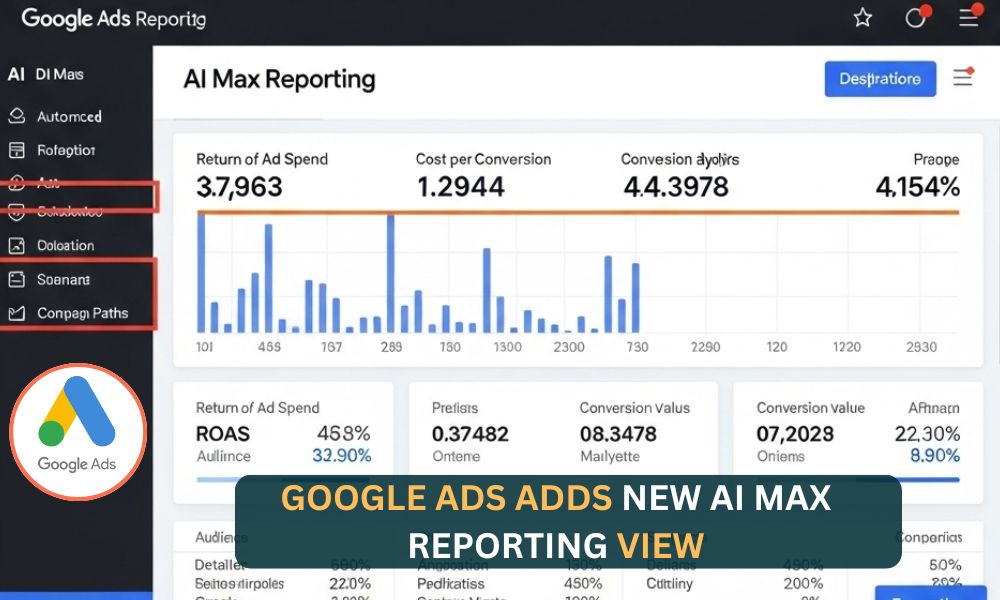
Picture your Google Ads campaign showing the right message to the right person exactly when they’re searching. That’s now easier than ever with the new Google Ads adds new AI Max reporting view.
Launched in beta in early 2025 and now available to all advertisers, this new feature gives you clear insights into how Google’s automation connects customer intent with your website content. Whether you’re running ads for a small shop or managing large PPC accounts, this tool makes it easier to understand, improve, and grow your campaigns especially in today’s world of conversational, question-based searches.
What Is the AI Max Reporting View?
The Google Ads adds new AI Max reporting view is designed specifically for AI Max for Search campaigns, a powerful way to advertise without relying only on exact or phrase match keywords.
Instead, AI Max uses broad match and keywordless targeting to connect your ads to high-intent searches you might not have considered. For example, if you sell eco-friendly water bottles, your ad could appear for a search like “best sustainable hydration gear” even if you didn’t use that exact keyword.
This is helpful in today’s world, where users ask full questions like “where to buy eco-friendly bottles near me.” AI Max scans your website and ad content to figure out when your ad should show, and the new reporting view lets you see exactly how this happens.
Features of the AI Max Reporting View
The AI Max reporting view is loaded with tools to simplify your work. Here’s what you get:
- Search Terms Match Type Segment (in the Keywords tab) shows where your clicks came from, your keywords, broad match, or AI Max’s keywordless targeting — along with key metrics like ROAS, CPA, and CPC.
- AI Max for Search campaigns view lets you see search queries, ad headlines, and landing page combinations, helping you understand the full customer journey from search to site visit.
- Asset Optimization Panel shows how your headlines, descriptions, and URLs perform based on conversions, so you can replace or improve content that isn’t working well.
For example, a retailer boosted relevant traffic by 30% by refining landing pages using these insights. During the beta, API access is limited, but full support for Report Editor and Desktop Editor is expected by late 2025. These tools make the Google Ads adds new AI Max reporting view a true game-changer.
Where to Find Search Terms and Landing Pages from AI Max
One standout tool is the dropdown for “Search terms and landing pages from AI Max”. It helps you see how AI matches real user searches with your site.
To find it, go to Campaigns > Insights and reports > Search terms in the Google Ads interface. It sits next to standard views like Search terms, Dynamic Search Ads, and Landing Pages Report.
Here’s what you can do:
- See Matches: Find out which search queries lead users to specific landing pages.
- Compare Data: View AI Max results alongside other reports to understand what drives performance.
- Make Smart Edits: Use this data to improve landing pages or target better keywords.
Imagine you run a pet store. You might see that someone searched for “durable dog toys” and landed on your “chew-resistant toys” page — even if you never targeted that phrase. This kind of insight helps you capture more relevant traffic and improve your results.
Why the AI Max Reporting View Is Important
The Google Ads adds new AI Max reporting view provides transparency into automation. It helps you understand exactly how AI chooses to show your ads.
- Clear Insights: In the Keywords tab, the “Search terms match type” section shows you where your clicks are coming from — your keywords, broad match, or AI Max’s keywordless targeting.
In the “Search terms and landing pages from AI Max” dropdown (under Campaigns > Insights and reports > Search terms), you can see which search terms led to which landing pages. This gives you a full picture of how users found your site. - Real-Life Example: Let’s say you run a local gym. You might see that your ad for “yoga classes” appeared when someone searched for “best fitness studios nearby.” That means AI Max is helping you reach people who are likely interested, even if you didn’t target that exact phrase.
- Expert Approval: Advertising experts like Aleksejus Podpruginas say this tool is a game-changer. It lets you compare AI Max to regular keyword campaigns so you can see what works best.
With this transparency, you can improve your ads faster, reduce guesswork, and get better results from your campaigns.
Enhancing Efficiency and ROI
The AI Max reporting view helps you focus on what drives results, so you can get more out of your budget.
- More Conversions: AI Max campaigns can deliver 14% more conversions at a similar cost, and up to 27% more if you use exact or phrase match keywords.
- Real Results: Brands like L’Oréal and Shopee saw big improvements — L’Oréal doubled conversions and cut costs by 31%, while Shopee saw up to 100% more conversions spike in some cases.
- Smarter Spending: You can see which headlines and landing pages perform best. If one version gets more results, you can focus your budget there to improve ROI.
How to Use the AI Max Reporting View Effectively
Getting started with AI Max is easy, but you need to set things up the right way.
- Turn on AI Max: In your campaign settings, go to Bidding and Optimization and turn on AI Max. This enables smart features like keywordless targeting, text customization, and automatic URL updates. You can turn off any of these features if you want more control.
- Use Your Own Data: Connect tools like Google Analytics 4 or upload customer lists. This helps AI Max target better. For example, if your bookstore focuses on “rare books,” make sure your landing pages reflect that.
- Check Your Reports: Go to Campaigns > Insights and reports > Search terms to find the “Search terms and landing pages from AI Max” view. You can also explore the Keywords tab and AI Max for Search campaigns section to see how your ads are performing.
API access is still limited, so use the Google Ads interface for now. Full support will arrive by the end of 2025.
Potential Pitfalls of AI Max Automation
AI Max’s automation has risks:
- Off-Brand Messaging: AI might match ads to irrelevant queries, like a luxury watch brand appearing for “budget watches.”
- Budget Creep: New queries can increase spend, especially with limited API support in the beta.
- Compliance Risks: Regulated industries (e.g., healthcare, finance) must ensure AI-generated ads meet guidelines.
- DSA Overlap: AI Max shares keywordless targeting with Dynamic Search Ads but isn’t a replacement, requiring adjustment.
These AI Max challenges demand careful monitoring to stay on track.
Solutions to Common Issues
Overcome pitfalls with these strategies:
- Curate Landing Pages: Highlight specific offerings, like “luxury watches,” to avoid off-brand matches.
- Use Brand Controls: Include or exclude brands at the campaign or ad group level for brand safety.
- Leverage Location Targeting: Use ad group-level location-of-interest targeting for geo-specific intent, like “Miami watch stores.”
- Apply Negative Keywords: Block irrelevant terms at the campaign or ad group level.
- Test Strategically: Use drafts and experiments for A/B testing AI Max against traditional setups.
Monitor long-term metrics like customer lifetime value (LTV) to ensure conversions align with your digital advertising strategy.
The Future of AI in Google Ads
The Google Ads adds new AI Max reporting view is just the beginning. As conversational searches fueled by tools like ChatGPT and Gemini 2.0 reshape how users search, AI Max may expand to Performance Max and Demand Gen campaigns, streamlining multi-channel ads. Google Marketing Live 2025 teased Power Pack, blending AI Max with other campaign types for seamless performance.
By 2026, expect integrations with AI Overviews or AI Mode, offering real-time ad copy suggestions or predictive analytics. These AI advertising trends point to automation that anticipates user needs, keeping your campaigns competitive.
Preparing for What’s Next
Start testing AI Max now to master its features:
- Experiment Early: Use the reporting view to learn how AI Max interprets data, refining your approach.
- Test Incrementally: Allocate 20-30% of your budget to duplicate campaigns for safe testing.
- Stay Updated: Follow Google’s updates for features like advanced CRM syncing or predictive budgeting.
For regulated industries, use negative keywords and separate campaigns to protect lead quality. These steps ensure your campaigns thrive in the digital marketing landscape.
Wrapping Up
The Google Ads adds new AI Max reporting view gives you a clear look at how AI connects your ads to real searches. You can now see which search terms bring users to which landing pages even when you didn’t target those exact words.
By enabling AI Max, you let Google match your content with high-intent searches. Use the reporting view to check performance, improve your headlines or URLs, and update weak pages. Try new ideas using drafts and experiments. Add negative keywords to block traffic you don’t want.
This new view helps you make better decisions, save budget, and grow your results with less guesswork. It’s a smart way to keep your ads competitive in today’s search-first world.
Frequently Asked Questions(FAQs)
Q1. What is the AI Max Reporting View?
It’s a new Google Ads tool that shows how AI connects your ads to real user searches, even without exact keywords.
Q2. How does it help advertisers?
It gives insights into search terms, landing pages, and asset performance, helping you improve ads and track results.
3. Where do I find it in Google Ads?
Go to Campaigns > Insights and reports > Search terms, then select “Search terms and landing pages from AI Max.”
4. What are the benefits?
More conversions, better ROI, and clearer data on how AI matches ads to user intent.
5. Any risks with AI Max?
Yes, it may match off-brand searches or increase spend. Use negative keywords and monitor closely.