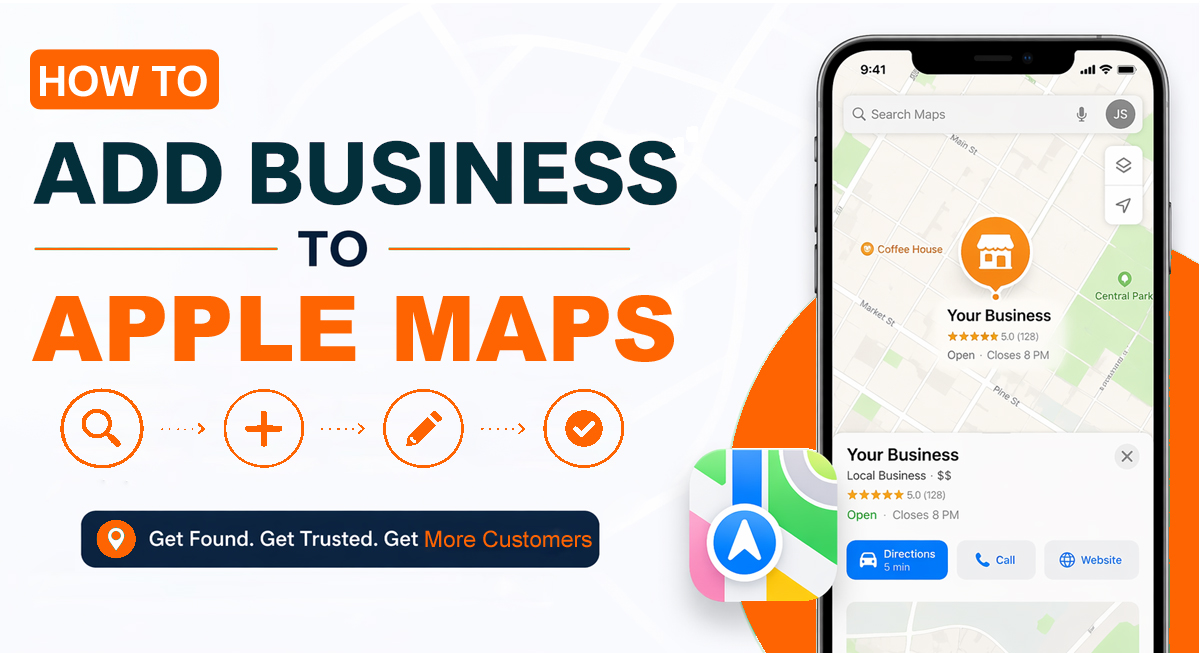
If you want more local customers to find you adding your business to Apple Maps is no longer optional; it’s necessary. When you add your business to Apple Maps, it becomes easy for people around to locate your business. Millions of people check Apple Maps every single day before visiting a shop or restaurant. If your business is not listed there, you might be missing out on some potential customers. It is very easy to create your business on Apple Maps. Customers can easily locate you and even contact you. In this article, let’s have a look at how to add business to Apple Maps in a few easy steps.
Why Apple Maps Is Important for Local Businesses
Local customers use Apple Maps to make choices, for example, which places to visit, where they are located, etc. Many users use it to locate services, restaurants, and stores in their neighbourhood. Knowing how to add a business to Apple Maps will guarantee that your brand comes up in the location-based search results. Since Apple devices are becoming increasingly popular with each passing day, a business can lose its visibility and its potential customers if they don’t list them on Apple Maps.
What You Need to Know About Apple Maps Listings
Before submitting your business for listing on Apple Maps, make sure you have included the following details:
- Start with your official business name. Don’t use short forms or nicknames. If customers search your exact name and can’t find you, they’ll assume you’re not on Apple Maps at all.
- Double-check your address. Even a small mistake in the street name or PIN code can send customers to the wrong location, and that means lost sales.
- Make sure the phone number you add is active. Many customers call before visiting, especially to ask about timings or availability.
- Choosing the right business category matters the most. If you select the wrong one, your business might not appear when people search for services you actually provide. Take a minute to pick the most accurate option.
- Be honest about your opening hours. If someone visits and finds your shop closed during the listed hours, trust is lost instantly. Update weekend or holiday hours as well it makes a big difference.
- Photos build confidence. Upload clear images of your storefront, products, and even your team if possible. When people can see what to expect, they feel more comfortable visiting.
When you give all of these details, your listing is complete. People can trust it. This also helps people who might want to buy from you because they have all the information they need. Your listing will be helpful for customers.
How to Add Business to Apple Maps: Stepwise Process
Listing your business on Apple Maps is very easy. Let’s have a look at the steps on how to add business to Apple Maps below:
Step 1: First, sign in with your Apple ID. If you don’t already have one, create it — it won’t take long.
Step 2: Then open Apple Business Connect in your browser. This is the place where you control how your business shows up on Apple Maps.
Step 3: Once you’re inside, choose the option to add a new business and begin entering your details. Don’t rush this part. Even a small typo in your name or address can create issues later.
Step 4: Add a phone number that actually works. A lot of customers call before visiting, especially to double-check timings.
Step 5: When selecting your business category, choose the one that truly fits what you offer. This helps your listing appear when people search for services like yours.
Step 6: Enter your opening hours clearly. If your weekend or holiday timings are different, update them as well. No one likes reaching a shop and finding it closed.
Before you submit, go through everything one more time. Fixing small mistakes now will save you trouble later.
How Apple Maps Helps Customers Make Decisions
Apple Maps is an application that helps users to decide which business to visit. When your business is registered with the right information, such as where you are located, your working hours, and your contact details, it makes the customers confident that your business exists and is credible. Providing clear, correct info will decrease uncertainty and increase the chances of users opting for your business as compared to other businesses whose information is not verified or is not complete.
Why is accuracy Important for Apple Maps Listings
At the time of adding the business to Apple Maps, accuracy is very important. Apple scrutinises all the listings in order to verify that the information provided to them is accurate and valid. Errors like wrong address or phone number, and the type of business will slow down approval and send an untrustworthy impression of your business. Giving correct and precise information from the beginning of the process not only speeds up the verification process but also builds trust with the potential customers who use Apple Maps to make informed decisions.
Be Familiar with the Business Verification Process
Verification is a necessary process when the addition of a business to Apple Maps is involved because it proves that your business does exist and is operating within the address given. Apple can confirm your business by phone, email or document analysis. Offering proper and full information at the beginning not only accelerates the process of approval, but also minimises the number of checks and their repetitions. Mostly on average, approval for most businesses takes between three and seven business days, but it can take more time if Apple needs to seek further confirmation. Although it is always more efficient, it is better to do the process the first time than resubmit your listing.
Attributes of Business Listings and Their Influences
| LISTING ELEMENT | IMPACT ON VISIBILITY |
| Business Name | High |
| Address Accuracy | Very High |
| Phone Number | High |
| Business Category | Medium |
| Operating Hours | High |
| Photos | Medium |
All the aspects are part of user trust and discoverability.
Post-Listing Management of Your Business
Once your business is added to Apple Maps, it is important to manage it regularly. Such as updating business details like operating hours, services, and contact details with changes in times. Apple enables you to update these items using the same dashboard on which you have submitted them. Any type of listing should be updated periodically to make sure that customers are always provided with the right information, avoid confusion, and build trust.
Common Mistakes Businesses Should Avoid
Some errors can delay approval or reduce visibility. The common mistakes that businesses should avoid are as follows:
- Duplicate listings: Two or more listings with the same business name can create confusion, and Customers may not know which one is correct.
- Incorrect business categories: The wrong business category makes it difficult for people to find you. Better visibility comes from choosing the most accurate option.
- Inaccurate addresses: An incorrect address can lead customers to the wrong location. Correct details help people reach your business location without any trouble.
- Inactive or wrong phone numbers: A wrong phone number makes it difficult for people to contact you. Potential customers may leave or move to another business if they cannot contact you.
Conclusion
Once you know how to add business to Apple Maps and list it there, then people can easily locate your business and believe in its authority. By using correct information, verifying and maintaining the correct listing, you can appear in search and voice searches about your business. Well maintained Apple Maps listing will create brand equity, attract local business and will ensure long-term and consistent growth and a high presence in the community.
Frequently Asked Questions (FAQs)
Is there any cost involved in listing a business on Apple Maps?
No, it is totally free to list your business on Apple Maps. All one needs is an Apple ID to create it.
What should I do if my business is already listed incorrectly or claimed by someone else?
You have the option to claim the listing using Apple Business Connect and make corrections. In case it is already listed, Apple will follow a verification process to confirm ownership.
How will I know when my listing is live, and can I track the approval status?
The Status updates will be displayed in the Apple Business Connect dashboard. Upon approval, your business would be visible on Apple Maps.
Are there tips for making my Apple Maps listing stand out from competitors?
Make sure that your information is correct and post clear and high-quality photo. Updated hours and complete information to build more trust with customers.