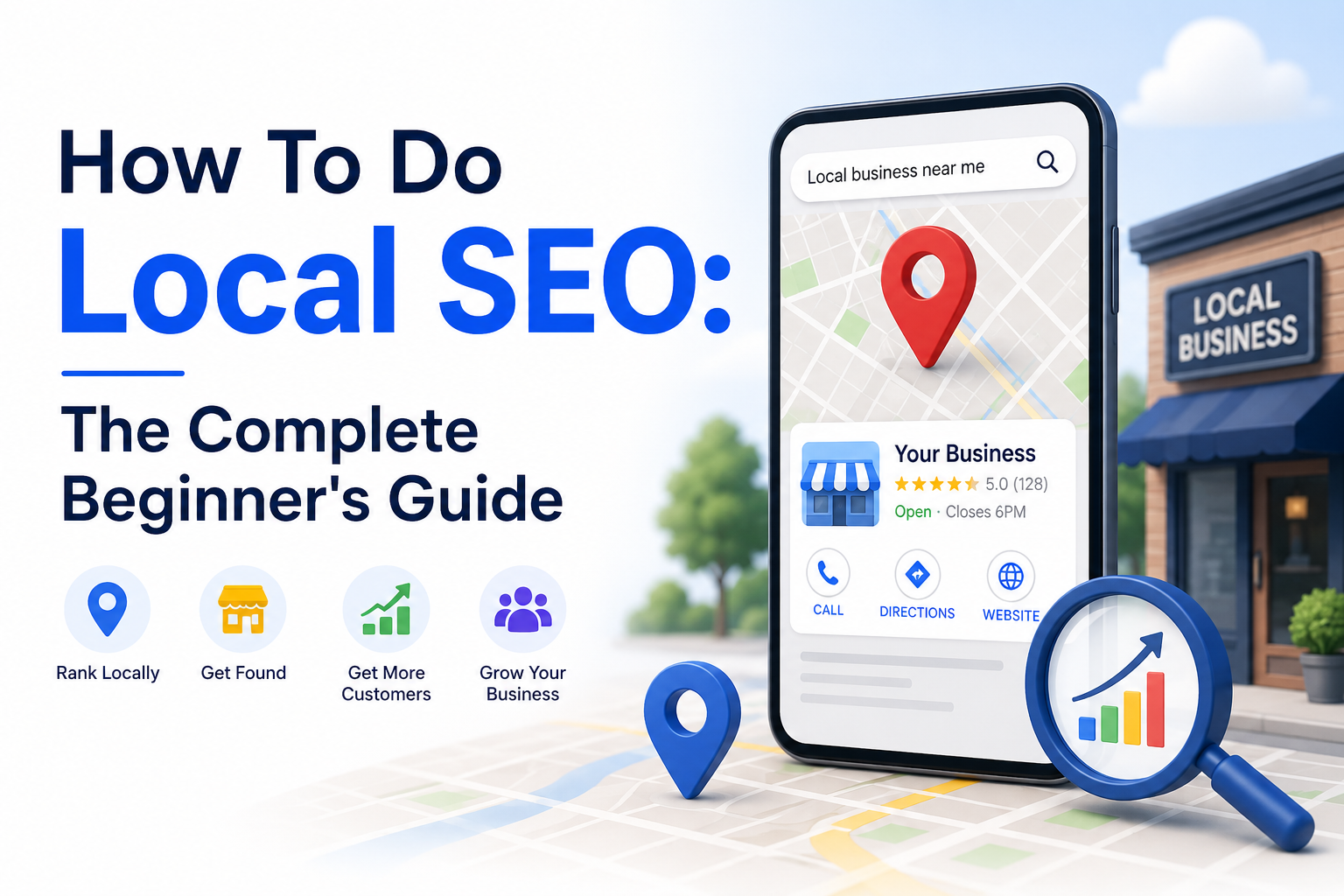
Every day, millions of people type searches like “best dentist near me” or “pizza delivery in Brooklyn” into Google. If your business doesn’t show up for those searches, you’re losing customers to competitors — even if your service is far superior.
That’s exactly what local SEO fixes.
Local SEO (Search Engine Optimization) is the process of optimizing your online presence so that your business appears when nearby customers search for what you offer. Unlike traditional SEO which targets broad national or global audiences, local SEO zeroes in on geographic relevance — connecting you with people in your city, neighborhood, or service area who are ready to buy.
The good news? You don’t need to be an SEO expert to get started. This guide walks you through every step of how to do local SEO from scratch — including Google Business Profile setup, on-page optimization, local citations, review management, and more.
Whether you run a restaurant, a law firm, a plumbing service, or a boutique retail store, these strategies will help you rank higher in local search and Google Maps results.
Let’s get into it.
What Is Local SEO and Why Does It Matter?
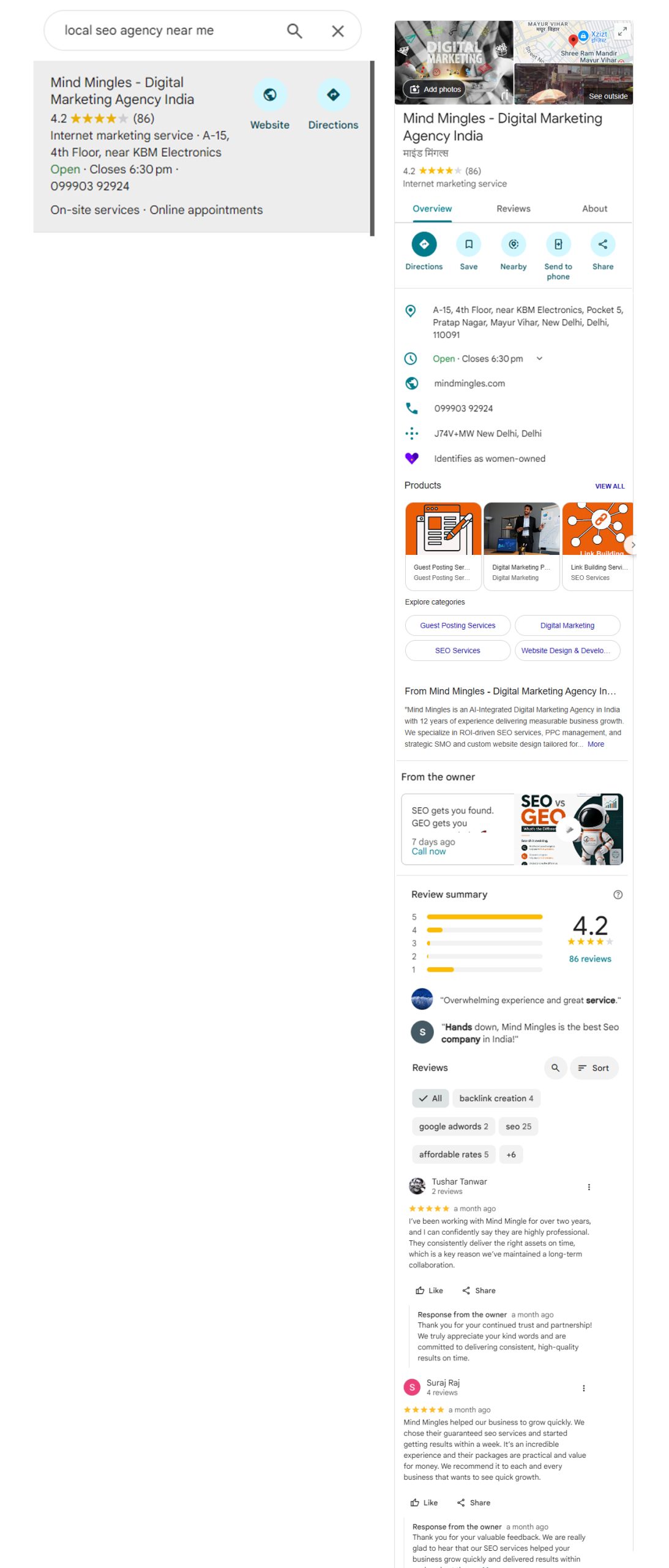
Local SEO is a subset of search engine optimization focused on improving a business’s visibility in location-based search results. When someone searches for a service with local intent — “accountant in Austin” or “gym near me” — Google shows a special set of results called the Local Pack (also called the Map Pack). These are the 3 business listings that appear with a map at the top of the results page.
Ranking in the Local Pack is enormously valuable:
- Local Pack results appear above organic listings, meaning more eyeballs
- Google reports that 76% of people who search for something nearby on their phone visit a business within a day
- 28% of local searches result in a purchase
The three core factors Google uses to rank local results are:
- Relevance — Does your business match what the user is searching for?
- Distance — How close is your business to the searcher (or searched location)?
- Prominence — How well-known and trusted is your business online?
Your local SEO strategy should address all three. Here’s how.
Step 1: Set Up and Fully Optimize Your Google Business Profile
Your Google Business Profile (GBP) — formerly Google My Business — is the single most important asset in local SEO. It’s what powers your listing in Google Maps and the Local Pack.
How to Claim or Create Your Profile
- Go to google.com/business and sign in with a Google account
- Search for your business name. If it already exists, click “Claim this business.” If not, click “Add your business to Google.”
- Select your business category carefully — this is one of the most impactful settings
- Enter your address (or service area if you’re a mobile/service-area business)
- Verify your listing via postcard, phone, or email
How to Optimize Your GBP for Maximum Visibility
Once verified, treat your profile like a mini-website. Every field matters.
Business Name: Use your real-world business name. Do not add keywords (e.g., “Mike’s Plumbing – Best Plumber in Chicago”). This violates Google’s guidelines and can get your listing suspended.
Primary Category: Choose the most specific, accurate category for your business. Google uses this heavily for ranking. For example, “Italian Restaurant” is better than just “Restaurant.”
Secondary Categories: Add 2–4 additional relevant categories to capture related searches.
Business Description: Write a 750-character description that naturally includes your main keywords and location. Describe what makes your business unique. Do not stuff keywords.
Address and Service Area: Enter your full address. If you serve customers at their location (like a plumber or dog groomer), you can set a service area radius instead of showing an address.
Phone Number and Website: Use a local phone number (not a generic 1-800 number) and link to your website’s homepage or a dedicated location landing page.
Hours: Always keep these accurate. Update them for holidays. Inaccurate hours lead to bad reviews and lost trust.
Photos: Businesses with photos receive significantly more clicks and direction requests. Upload:
- Exterior photos (at least 3 — helps customers recognize your location)
- Interior photos
- Team/staff photos
- Product or service photos
- A cover photo and logo
Aim for at least 10–15 high-quality photos. Refresh them regularly.
Google Posts: Use the Posts feature to share offers, events, news, and updates. These appear directly on your listing and can drive clicks.
Products and Services: Add individual services/products with descriptions and prices. This helps Google understand exactly what you offer.
Q&A Section: Proactively add your own questions and answers to the Q&A section. This controls the narrative and helps users with common queries.
Step 2: Conduct Local Keyword Research
Before you optimize your website, you need to know what your potential customers are actually searching for. Local keyword research is slightly different from regular keyword research — it focuses on terms with geographic modifiers.
Types of Local Keywords
Explicit local keywords include a location in the query:
- “emergency plumber in Dallas”
- “best Italian restaurant NYC”
- “SEO services in Delhi”
Implicit local keywords have local intent even without mentioning a location:
- “plumber near me”
- “24-hour pharmacy”
- “dentist open Sunday”
Service area keywords combine your service with a neighborhood, city, or region:
- “roof repair North Austin”
- “yoga studio Bandra Mumbai”
How to Find Local Keywords
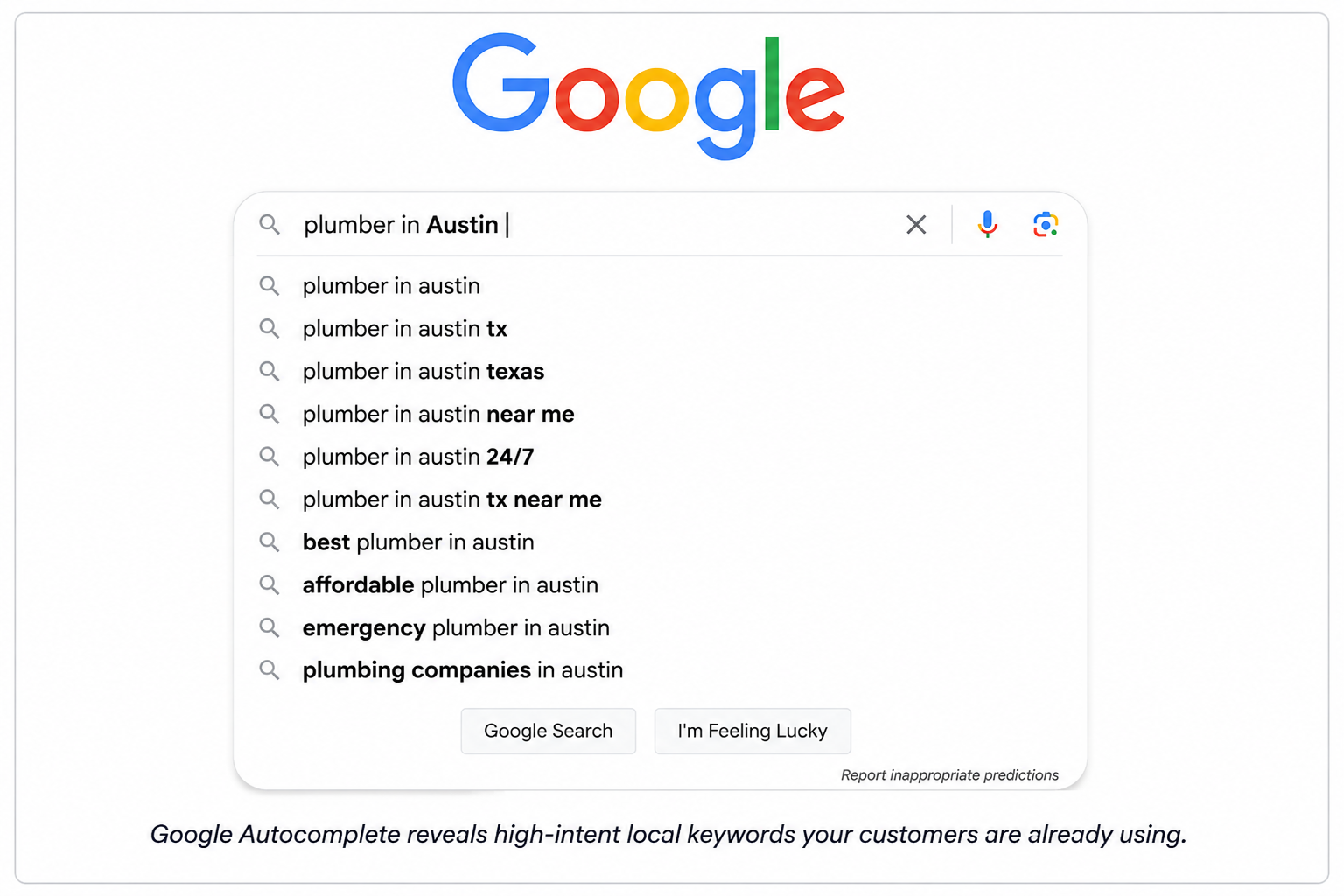
Google Autocomplete: Type your main service into Google’s search bar and note the suggestions that appear. These are real searches people are making.
Google Keyword Planner: Free tool inside Google Ads. Enter your main services and filter by location to see monthly search volumes.
Google Search Console: If your site is already live and receiving traffic, check the “Queries” report to see what local terms you’re already ranking for (even partially).
Competitor Research: Search for your main service in your city. Look at the titles and headings on your top-ranking competitors’ pages — they’re targeting terms that work.
“People Also Ask” boxes: These reveal related questions your audience is asking. Great for FAQ sections and blog content.
Prioritizing Keywords
Focus on keywords that are:
- Relevant to your specific services
- Location-specific (city, neighborhood, or “near me”)
- Commercially intended — searches by people ready to hire/buy
Include conversational/voice search phrases and questions that AI Overviews love answering, such as “best plumber near me open now” or “how much does emergency AC repair cost in [City].”
Build a keyword map: assign one primary keyword to each page on your website, and list 3–5 supporting keywords per page.
Step 3: Optimize Your Website for Local SEO
Your website is the foundation of your local SEO strategy. Even with a perfect Google Business Profile, Google wants to see a well-optimized website behind it.
On-Page Optimization Essentials
Title Tags: Include your primary keyword and location in every page’s title tag. Format: [Service] in [City] | [Business Name]
Example: “Emergency Plumber in Chicago | Mike’s Plumbing”
Meta Descriptions: Write compelling 150–160 character descriptions with your keyword and a call to action. While not a direct ranking factor, they influence click-through rates.
H1 Heading: Each page should have one H1 that includes your primary local keyword.
Content: Write at least 500–800 words per service page. Include:
- Your primary local keyword naturally in the first 100 words
- Your city/location name multiple times
- Related terms and synonyms (LSI keywords)
- Specific details about your service process, pricing range, and service area
NAP on Every Page: Display your business Name, Address, and Phone number consistently — ideally in the footer of every page.
Schema Markup: Add LocalBusiness structured data (JSON-LD) to your website. This helps Google understand your business type, location, opening hours, and more. Use Google’s Rich Results Test to validate it.
Internal Linking: Link between related pages on your site. For example, your homepage should link to service pages; service pages should link to your contact page and location pages. More on internal linking below.
Create Dedicated Location Pages
If your business serves multiple cities or neighborhoods, create a separate page for each location. These are sometimes called “geo-targeted landing pages.”
Each location page should include:
- A unique H1 with the city/neighborhood name (e.g., “Plumbing Services in Naperville, IL”)
- Unique written content — do NOT duplicate the same text across all location pages
- Local customer testimonials specific to that area
- An embedded Google Map of that location
- NAP details for that specific location
- Local landmarks or neighborhood references to establish geographic relevance
⚠️ Avoid: Creating thin or duplicate location pages just to target more cities. Google can penalize this. Each page must offer genuine value.
Website Technical Basics
- Mobile-friendly design: Over 60% of local searches happen on mobile. Use Google’s Mobile-Friendly Test to check your site.
- Page speed: Slow sites lose visitors. Use Google PageSpeed Insights. Compress images, enable browser caching, and use a good hosting provider.
- HTTPS: Your site must have an SSL certificate. Google flags non-HTTPS sites as “Not Secure.”
- Core Web Vitals: Google’s page experience signals (LCP, FID, CLS) affect rankings. Monitor these in Google Search Console.
Step 4: Build and Manage Local Citations
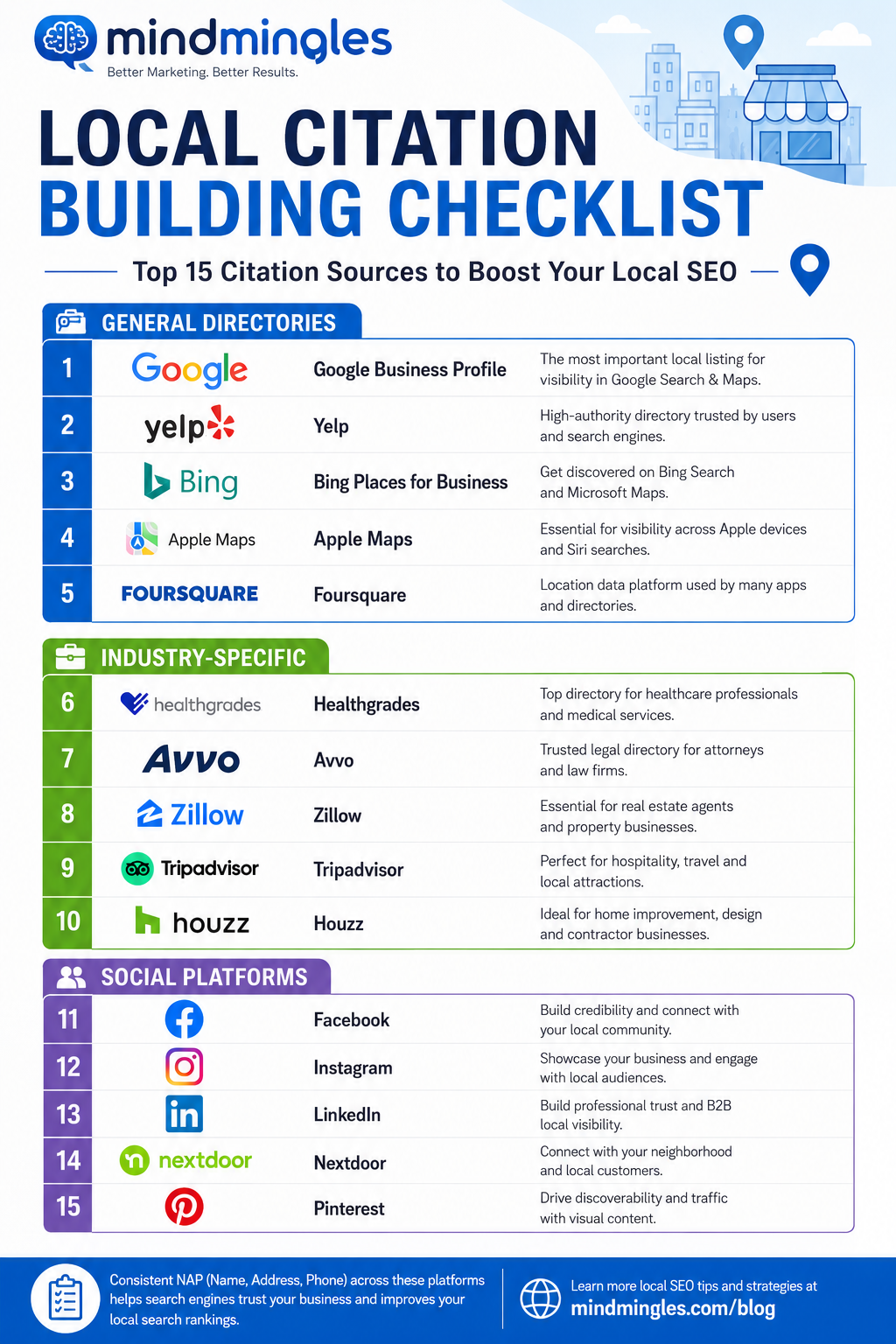
A local citation is any online mention of your business’s Name, Address, and Phone number (NAP). Citations appear in business directories, social platforms, review sites, and news articles.
Citations matter for two reasons:
- They help Google verify that your business is legitimate and located where you claim
- They expose your business to new customers on popular directories
Primary Citation Sources
Start with these high-authority platforms:
- Google Business Profile (most important)
- Apple Maps (connect via Apple Business Connect)
- Bing Places for Business
- Yelp
- Facebook Business Page
- Yellow Pages / YellowPages.com
- Foursquare
- Better Business Bureau (BBB)
- Trustpilot
Industry-Specific Directories
Beyond the general directories, find niche directories relevant to your industry:
- Lawyers: Avvo, FindLaw, Justia
- Doctors/Dentists: Healthgrades, Zocdoc, Vitals
- Restaurants: TripAdvisor, OpenTable, Zomato
- Contractors: Angi (formerly Angie’s List), HomeAdvisor, Houzz
- Hotels: TripAdvisor, Booking.com, Hotels.com
The Golden Rule: NAP Consistency
Every single citation must use exactly the same business name, address, and phone number format. Even small variations confuse Google and dilute your citation authority.
❌ Wrong:
- Mike’s Plumbing LLC (listing 1)
- Mike’s Plumbing (listing 2)
- 123 Main St. (one listing) vs. 123 Main Street (another)
✅ Right: Use the same format everywhere, matching what’s on your website.
How to audit citations: Use tools like BrightLocal, Moz Local, or Whitespark to scan for existing citations, find inconsistencies, and discover new listing opportunities.
Step 5: Build a Review Strategy
Online reviews are one of the most powerful local ranking factors — and they directly influence whether potential customers choose you or a competitor.
Google looks at:
- Total number of reviews
- Average star rating
- Recency of reviews (fresh reviews signal an active business)
- Review velocity (how consistently you’re getting new reviews)
- Owner responses (replying shows engagement)
How to Get More Google Reviews
Ask at the right moment: Request a review immediately after a positive interaction — after completing a service, during checkout, or when a customer expresses satisfaction.
Make it easy: Create a direct review link using Google’s PlaceID tool or a short URL generator. Send it via SMS or email after each job.
Email follow-up sequences: Set up a simple automated email (using tools like Mailchimp or your CRM) that goes out 24–48 hours after a service, politely asking for a review and including your review link.
In-person requests: Train your staff to ask satisfied customers for reviews. A simple, genuine ask — “If you’re happy with our service, we’d really appreciate a Google review. Here’s the link.” — works well.
Review cards: Create small printed cards with a QR code linking to your Google review page. Leave them at checkout or include them in thank-you packages.
Responding to Reviews
Always respond to every review — positive and negative.
Responding to positive reviews:
- Thank the reviewer by name
- Mention your location/service naturally (this adds local keyword context)
- Keep it warm and personal, not generic
Responding to negative reviews:
- Respond promptly (within 24–48 hours)
- Acknowledge their experience without being defensive
- Offer to resolve the issue offline
- Never argue or blame the customer
A professional, empathetic response to a negative review can actually build trust with potential customers who see it.
⚠️ Do NOT: Buy fake reviews, offer incentives for reviews (Google’s policies prohibit this), or ask employees to review the business. These can result in penalties or listing suspension.
Step 6: Build Local Links and Authority
Backlinks (links from other websites to yours) are a major SEO ranking factor. For local SEO, the most valuable links are those from other local or locally-relevant websites.
Local Link Building Strategies
Local news and media: Reach out to local newspapers, news blogs, or community websites. Sponsor a local event, issue a press release, or offer expert commentary for an article.
Local business associations: Join your local Chamber of Commerce, industry associations, or business improvement districts. Most provide a member directory with a link to your site.
Sponsorships and partnerships: Sponsor local events, sports teams, schools, or charities. These often result in a link from the organization’s website.
Local bloggers and influencers: Partner with local food bloggers, lifestyle influencers, or community websites for reviews or features.
Supplier and partner links: If you work with local suppliers, manufacturers, or complementary businesses, ask them to add your business to their “partners” or “where to find us” pages.
Guest posting on local sites: Write helpful articles for local business blogs, community newsletters, or industry publications in your region.
Scholarships and community programs: Create a small annual scholarship or community program. Local schools and .edu sites often link to scholarship providers.
Step 7: Create Locally Relevant Content
Content marketing isn’t just for big brands. Publishing locally relevant content positions you as the go-to expert in your community and gives Google more reasons to rank your website.
Types of Local Content That Work
Location-based blog posts:
- “Best Neighborhoods in [City] for [Your Service]”
- “How [Your Service] Works in [City]’s Climate/Environment”
- “5 Things [City] Residents Should Know About [Topic]”
Local event coverage: Write about events you participate in, sponsor, or host. Mention local landmarks and community happenings.
Case studies with local customers: Feature real client stories. Include the neighborhood or city name naturally.
FAQs about your service in your area: “How much does roof repair cost in [City]?” — this directly targets high-intent searchers.
“Near me” content: Create pages or posts targeting “[Service] near [Neighborhood/Landmark]” searches.
Seasonal content: Tie your services to local seasons, events, or conditions. A landscaping company might write about spring gardening in their specific region; a plumber might write about winterizing pipes before a local cold snap.
Content Optimization Tips
- Include your city/region name in the title and first paragraph
- Add an embedded Google Map of your location
- Link to your Google Business Profile
- Include local customer testimonials
- Add LocalBusiness schema markup to each location page
Step 8: Optimize for Voice Search and Mobile
Voice search has changed how people find local businesses. Queries like “Hey Google, where’s the nearest coffee shop?” or “Alexa, find a plumber open now” are now mainstream.
Voice searches tend to be:
- Conversational and longer (“What’s the best pizza place near downtown Austin open right now?” vs. “pizza Austin”)
- Question-based (who, what, where, when, how)
- Immediate intent — people asking voice queries are often ready to act now
How to Optimize for Voice Search
Target question-based keywords: Create an FAQ section on your website and blog posts that answer common questions in plain, conversational language.
Optimize for “near me” searches: Make sure your GBP is fully complete and your NAP is consistent — this is what voice assistants pull when serving “near me” results.
Aim for featured snippets: Voice assistants often read out the featured snippet (the answer box at the top of Google results). Structure content with clear questions and concise, direct answers.
Ensure mobile speed: Voice searches happen almost exclusively on mobile. A slow-loading site kills your chance of capturing voice search traffic.
Step 9: Internal Linking Strategy for Local SEO
Internal links — links from one page on your site to another — are often overlooked in local SEO but are genuinely powerful.
A smart internal linking structure:
- Passes link authority from high-traffic pages to important service/location pages
- Helps Google understand the relationship between your pages
- Improves user experience by guiding visitors to related content
- Reduces bounce rate by keeping people on your site longer
Internal Linking Best Practices
Link from your homepage to all key service and location pages. Your homepage typically earns the most authority; use it to pass equity to your most important local pages.
Create topic clusters: Group related content together. A “Local SEO” hub page should link to sub-pages on Google Business Profile optimization, citation building, local link building, etc. — and those sub-pages should link back to the hub.
Use descriptive anchor text: Instead of “click here,” use anchor text like “learn about our [City] plumbing services” or “read our guide to local citation building.”
Contextual links within content: When you write a blog post about local SEO tips, link to your Local SEO Services page where relevant.
Breadcrumbs: Use breadcrumb navigation on service and location pages. This helps both users and search engines understand page hierarchy.
Step 10: Track, Measure, and Improve
Local SEO is not a one-time task. You need to monitor your performance regularly and adjust based on what the data tells you.
Key Metrics to Track
Google Business Profile Insights:
- Profile views (search vs. maps)
- Direction requests
- Phone call clicks
- Website clicks
- Photo views
Access these inside your GBP dashboard under “Performance.”
Google Search Console:
- Queries driving traffic to your site
- Click-through rates for local keywords
- Pages indexed and any crawl errors
- Core Web Vitals
Google Analytics 4:
- Organic traffic by location
- Conversion events (contact form submissions, phone call clicks)
- User engagement metrics (bounce rate, session duration)
Rank Tracking:
- Use tools like BrightLocal, Semrush, or Local Falcon to track your Google Maps rankings for target keywords across different parts of your city
Citation health:
- BrightLocal’s Citation Tracker or Moz Local to monitor citation accuracy and coverage
Monthly Local SEO Maintenance Checklist
✅ Check GBP for any new questions, reviews, or suggested edits
✅ Respond to all new reviews
✅ Publish at least one new Google Post
✅ Check Google Search Console for errors or manual actions
✅ Review keyword rankings and identify any drops
✅ Add new photos to GBP
✅ Monitor for any new or inconsistent citations
✅ Publish one piece of locally relevant content on the blog
Common Local SEO Mistakes to Avoid
Even experienced marketers make these errors. Avoid them from the start:
Using an inconsistent business name across directories. If your business name appears as “Mike’s Plumbing LLC,” “Mike’s Plumbing,” and “Mikes Plumbing” across different sites, Google gets confused about your legitimacy.
Choosing the wrong GBP primary category. This is one of the highest-impact settings. Research which category your top-ranking competitors use.
Ignoring negative reviews. Unresponded negative reviews signal to both Google and customers that you don’t care about service quality.
Creating duplicate location pages with copied content. Thin, duplicate content can earn a Google penalty. Every location page needs unique, substantive content.
Building citations with mismatched NAP data. Even small formatting differences erode citation authority over time.
Neglecting mobile optimization. Most local searches happen on mobile. If your site isn’t fast and mobile-friendly, you’re losing rankings and customers.
Keyword stuffing. Repeating your target keyword unnaturally throughout your content is a red flag for Google. Write for people first.
Setting it and forgetting it. Local SEO requires ongoing maintenance. Businesses that update their GBP, earn fresh reviews, and publish new content consistently outperform those who don’t.
How Long Does Local SEO Take?
Beginners often ask: how quickly will I see results?
The honest answer is: it depends.
- Google Business Profile optimizations can show results within 2–4 weeks
- Citation building typically produces noticeable movement in 1–3 months
- On-page optimizations and content creation can show results in 2–6 months
- Link building and authority growth is a longer-term play: 6–12+ months
Local SEO compounds over time. A business that starts today and maintains consistent effort will significantly outperform a competitor who starts in 6 months — even if the late-starter is technically more advanced. The earlier you start, the greater your cumulative advantage.
Local SEO Tools Worth Using
Free tools:
- Google Business Profile — manage your listing
- Google Search Console — monitor website performance
- Google Analytics 4 — track traffic and conversions
- Google Keyword Planner — find local keyword opportunities
- Google PageSpeed Insights — test website speed
- Google’s Mobile-Friendly Test
- Schema.org / Google’s Rich Results Test — validate structured data
Paid tools:
- BrightLocal — the best all-in-one local SEO platform (rank tracking, citation building, review management)
- Semrush — comprehensive SEO suite with local features
- Moz Local — citation management and NAP consistency
- Whitespark — local citation finder and rank tracker
- Local Falcon — Google Maps rank tracking with geo-grid visualization
Final Thoughts
Local SEO is one of the highest-ROI marketing strategies available to small and local businesses. Unlike paid ads that stop the moment you stop paying, local SEO builds a durable foundation of online visibility that works for you around the clock.
To recap what we covered:
- Claim and fully optimize your Google Business Profile
- Conduct thorough local keyword research
- Optimize your website with on-page local SEO signals
- Build consistent local citations across key directories
- Develop a proactive review generation strategy
- Earn local backlinks through community involvement and partnerships
- Create locally relevant content that serves your community
- Optimize for voice search and mobile
- Use strategic internal linking to distribute authority
- Track your results and iterate continuously
The businesses that dominate local search aren’t doing anything magical — they’re simply doing the fundamentals consistently, over time. Start with your Google Business Profile today, then work through each step in this guide. Within a few months, you’ll begin to see the difference.
Need professional help accelerating your local SEO results? Explore our Local SEO Services or check our flexible Local SEO Packages designed for businesses at every stage of growth.
Frequently Asked Questions
What is local SEO in simple terms?
Local SEO is the process of optimizing your online presence — your website, Google Business Profile, and citations — so that people searching for your services in your geographic area can find your business easily.
Is local SEO free?
The core activities of local SEO (GBP setup, on-page optimization, citation building) can be done for free. However, tools like BrightLocal and Semrush, or hiring an agency, involve costs. The trade-off is time vs. money.
How is local SEO different from regular SEO?
Regular (national/global) SEO targets broad audiences regardless of location. Local SEO specifically targets users in a defined geographic area and involves unique elements like Google Business Profile, local citations, NAP consistency, and geo-targeted keywords.
Do I need a website for local SEO?
While you can rank in Google Maps with just a GBP (and no website), having a well-optimized website significantly boosts your local rankings and gives you a place to convert visitors into customers.
What is the most important local SEO factor?
Google Business Profile optimization is widely considered the most important starting point. Beyond that, consistent NAP citations, positive reviews, and on-page website optimization all play major roles.
How many citations do I need?
There’s no magic number, but most local businesses should aim for 50–100 consistent citations across authoritative directories, with the top 15–20 being the highest priority.
Can I do local SEO myself?
Absolutely. This guide covers everything a beginner needs to get started. As your business grows, you may want to bring in a professional local SEO agency to scale your efforts.
Published by Mind Mingles — A performance-driven digital marketing agency specializing in SEO, local search, and content marketing.