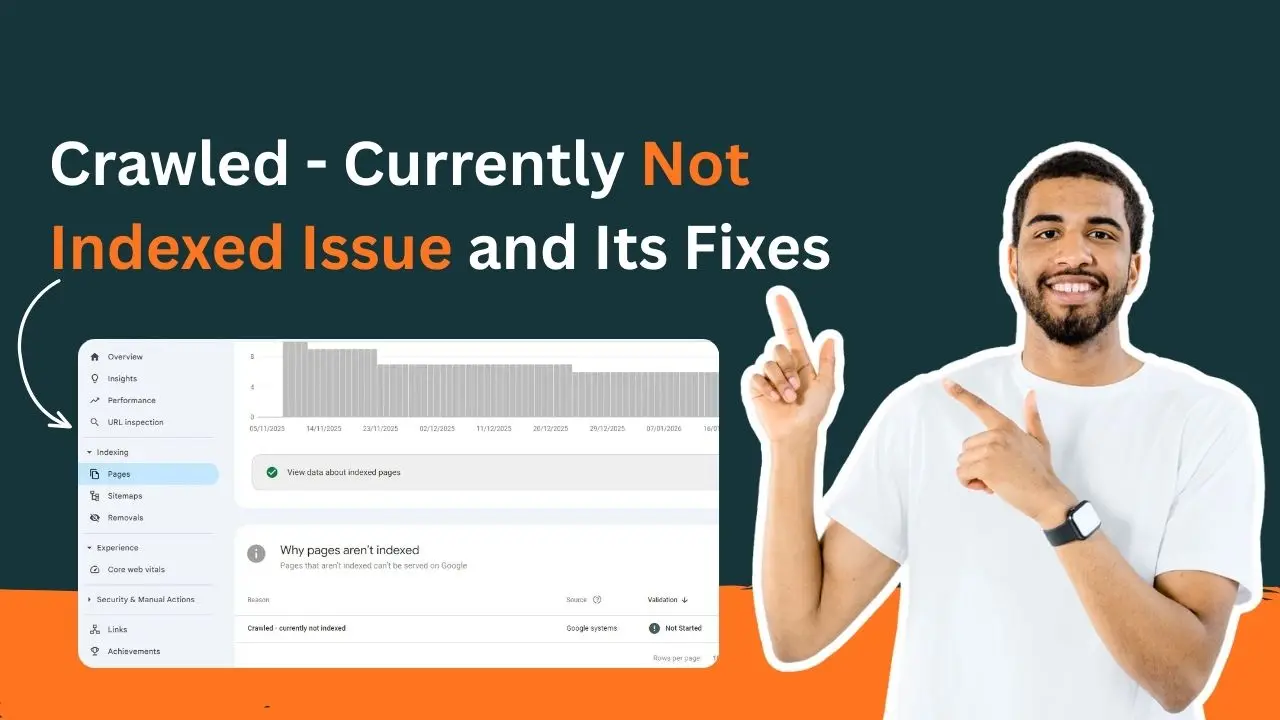
Crawled – currently not indexed shows that Google has seen the page, but is not ranking it. Google will spot, scan, acknowledge the page, and then quietly place it back on the shelf. This does not mean content is bad. But it can signal that something isn’t convincing enough for Google to add to its library yet. Sometimes, the issue might be related to small content, weak structure, slow performance, or simply heavy competition. Other times, it’s just Google taking longer than usual to make up its mind.
Crawled but Not Indexed in Google Search Console
Crawled – currently not indexed in Google Search Engine indicates that Google has visited the page, crawled it, and stored it in its system, but has not yet decided to index it. The page is not blocked; it is just not thought strong or relevant enough yet. This status shows thin content, poor internal links, technical problems, or intense competition, and indicates that the page has not been optimized yet and still requires work to be placed in search results.
How to Find “crawled – currently not indexed” Pages?
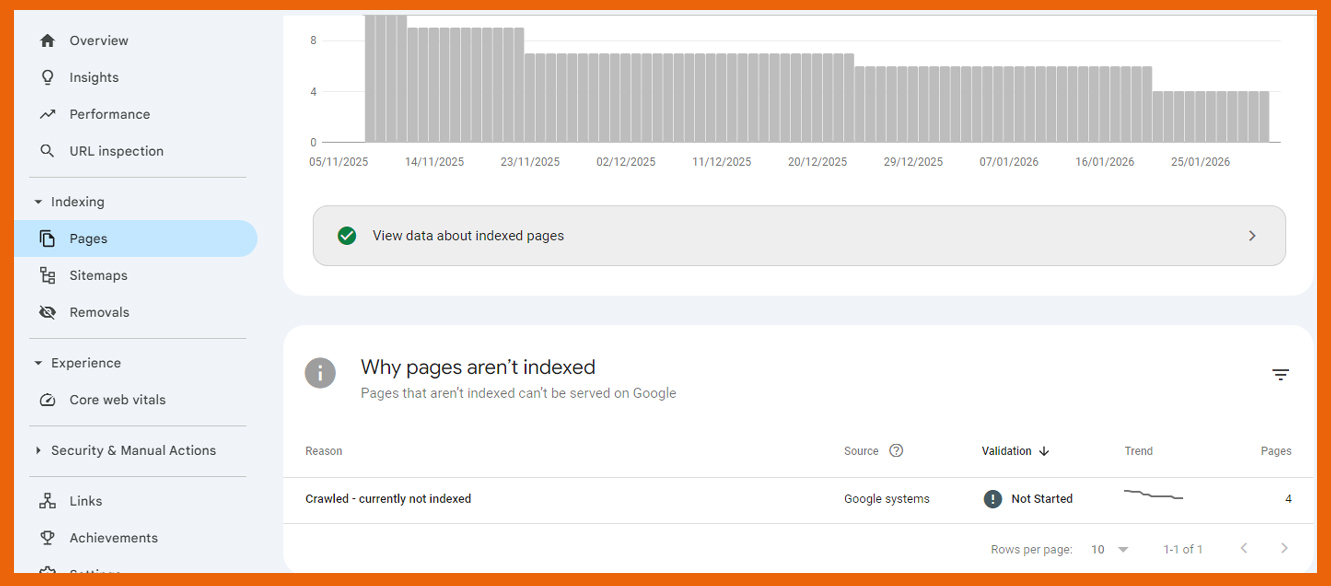
If you can find “Crawled – Currently Not Indexed” pages in Google Search Console, you can go to Indexing, then click on Pages report and filter the status list. It will show every URL that Google has crawled but did not index. This section will help spot patterns like specific folders, content types, or templates. As a result, you can easily spot the errors and find a fix for them.
Reasons Why This Indexing Delay Issue Happens
Here are some of the reasons why problems related to crawled – currently not indexed arise:
1. Content Lacks Depth or Original Value
At times, you will see that pages appear to be ready at the surface, but they do not provide enough information to be regarded as index-worthy by Google. When the content is a duplicate of what exists on the internet, is too thin, or does not meet search intention fully, Google puts it on hold. Pages require expertise, detail, and purpose to let Google rank them well in the search engine.
2. Weak Internal Linking Structure
Google finds it more difficult to assess pages that exist independently and lack strong internal links. Google will experience reduced context and significance when a URL is not linked to, or placed too deeply in, the architecture. Good internal links are like signposts, directing crawlers and indicating important pages.
3. Crawl Budget Constraints
Large websites with many URLS see problems related to budget. Google may crawl a page but delay indexing while prioritizing other, more authoritative or frequently updated sections of the site. This is common in e-commerce, news portals, and sites with auto-generated pages.
4. Technical Issues
Indexing can be discouraged due to slow page loading, content duplication, improper canonical tags, and incorrectly set meta directives. Even tiny technical inconveniences, such as intermittent server failures or unreliable mobile functionality, can move the indexing further down the priority list of Google.
5. Lack of Authority or Backlinks
Google is more picky in case a site is new or has a weak domain authority. Sites that have no signs of external attention, such as backlinks, mentions, or active traffic, are placed in a “review later” queue, particularly in competitive niches.
6. Low Search Demand or Highly Competitive Keywords
Some keywords have limited audience interest, while others are dominated by high-authority domains. In both cases, Google may delay indexing until it’s sure the page brings something valuable and unique to the table.
7. Poor or Auto-Generated URL Structures
Google considers long, messy, or parameter-intensive URLs as low value. They might be generated automatically, particularly on filter-heavy or e-commerce websites, which demotes indexing.
How Can You Fix “Crawled- Currently Not Indexed” Error
Here are some of the ways you can fix your currently not indexed error:
1. Strengthen Content Quality and Depth
One of the reasons why Google may not index your page is due to weak or surface-level content. The algorithm will not give priority to pages that do not completely satisfy user intent, are not detailed, or plagiarise other published information. Enhance the content by providing more explanations, real-life examples, images, and data where applicable. Make every page look like the most useful site on the internet on that subject. Original content, expert-supported information, and interactive design are value indicators as per Google. Indexing occurs automatically when the content is original and substantial.
2. Fix Thin, Duplicate, or Low-Value Pages
When there are many similar pages or sections in your site whose content is very similar or nearly the same, Google can crawl them but not index them, as they are copied. Check your site for duplicate URLs, thin category pages, poor product descriptions, and old blogs. Combine overlapping information, drop pages that are not important, and canonicalise pages that should be there but are not the main one. This cleanup will serve to help Google prioritise the URLs that are of most importance to Google and to make the use of crawl budget justified.
3. Improve Internal Linking and Site Structure
Internal links serve as channels that direct Google through your site. A page without any links to it or too deep in the architecture makes it appear insignificant. Include inbound links to related pages with high traffic, the anchor text should be descriptive, and the related content should be interrelated in a logical structure. Relevance can also be reinforced by creating topic clusters or content silos. The more the linking network, the faster Google can rate and index your pages.
4. Resolve Technical Barriers and Indexing Conflicts
Sometimes, content itself is not an issue, but the signals around. Accidental noindex tags, blocked JavaScripts, weak canonical tags, or broken robots.txt rules may prevent indexing. Have the URL Inspection Tool of Search Console run on each of the affected URLs to see what Google actually reads. Make sure that there are no server errors, slow load times, excessive JavaScript, or non-rendering resources. Google is sensitive to any technical friction, no matter how minor.
5. Speed Up Page Performance and Core Web Vitals
Slow-loading pages or poorly optimized mobile experience are often crawled but not indexed. Google desires quick, clean, responsive information, which is easy to use. Optimize loading time through image compression, elimination of unused scripts, caching, and optimization of server response time. Monitor your Core Web Vitals and fix the Core Web Vitals, such as the layout shifts or long input delays. A quick, steady page sends powerful, quality messages.
6. Strengthen Your Backlink Profile and Page Authority
The indexing of pages in low-authority domains is likely to be slow. Google does not have any backlinks or external indicators to determine the credibility of your content. Develop authority with guest posts, mentions, PR links, niche directories, and contextual backlinks. Internal authority assists as well; connecting your best pages would increase visibility. When Google considers a URL to be receiving attention due to credible sources, it feels much more confident about indexing it.
7. Submit and Optimize Your XML Sitemap
You should ensure that your sitemap only has canonical, index-worthy URLs. It should not have thin pages, test pages, or redirects. Google will only give priority to those pages that have a clean XML sitemap. After updating it, resubmit the sitemap in Search Console. This encourages Google to revisit and reassess any pages stuck in the non-indexed category.
8. Request Indexing After Making Improvements
After making important fixes, go back to the URL Inspection Tool and request to have it be indexed. This does not mean that they will immediately see the results, but they facilitate the re-evaluation process. Never spam-request indexing repeatedly; get the real improvements first, then leave the changes to Google.
How Google’s Indexing Priorities Are Changing
Google’s indexing priorities have evolved from “index everything” to “index what truly matters.” Nowadays, Google favours the pages that show depth, originality, and obvious utility. Thin, repetitive, or low-engagement content gets pushed aside, while authoritative sites with strong technical health will be at the top. By focusing on quality signals, user intent, and topical relevance, Google will keep the index lean, reliable, and genuinely helpful. Google will reward only those websites offering real value over sheer volume.
Conclusion
Finally, crawled – currently not indexed is not the end; it is an indicator. Google has discovered your page, but it requires a better reason to secure a place in the search results. Indexing can be done with strong content, improved structure, improved internal links, and better value. Consider it an invitation to fix, not a dismissal. As long as your pages are really useful to users and your site conveys quality and trust, Google will finally react. A few smart improvements can turn that quiet pause into full visibility.