Google Business Profile has become an important part of how customers discover local businesses online. When people search for nearby stores, restaurants, service providers, or companies, they often check business listings, reviews, photos, and updates before making a decision.
Images are one of the first things customers notice. A clear and relevant visual can quickly explain what a business offers, from new products and promotions to events and service updates. Poorly sized images, however, can appear blurry or get cropped incorrectly.
With local searches influencing customer choices, businesses need visuals that look professional and display properly. Choosing the right Google Business Profile post image size helps create better-looking posts across Google Search and Google Maps. This guide covers image requirements, recommended dimensions, optimization tips, and common mistakes to avoid.
What Is a Google Business Profile Post?
A Google Business Profile post is an update that businesses publish directly on their business listing. These posts appear on Google Search and Google Maps, allowing companies to communicate with customers who are already searching for related products or services.
GBP posts work as a direct communication channel between businesses and potential customers. Instead of visiting another website, users can find important updates directly within search results. Businesses use these posts for different purposes, including sharing new services, announcing events, promoting offers, and highlighting products.
Types of Google Business Profile Posts
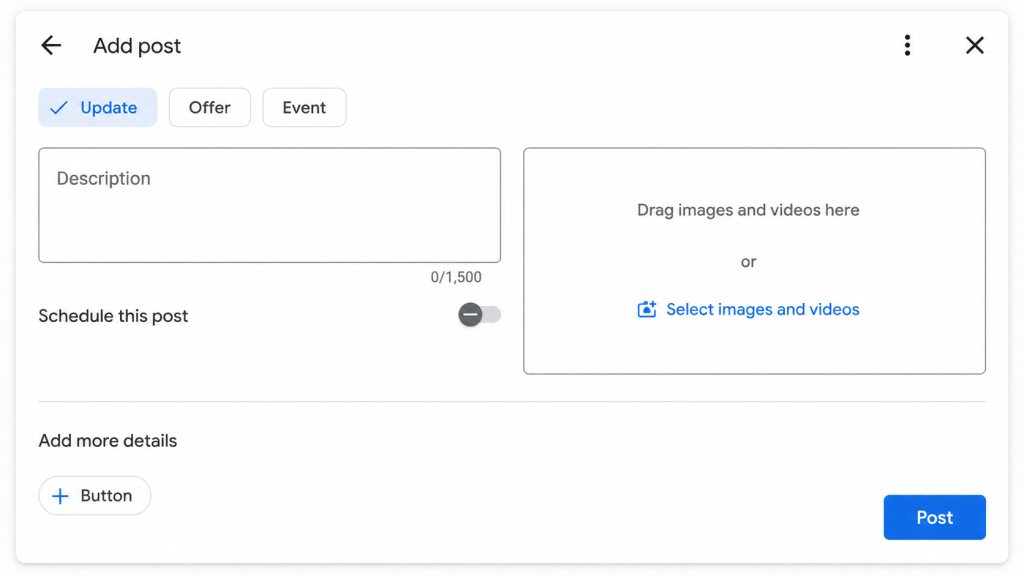
Businesses can create different types of posts depending on the information they want to share. Each format serves a different purpose and helps customers understand what a business currently offers.
Update Posts
Update posts are used for general announcements. Businesses can share information about new services, changes, seasonal updates, or important news.
For example, a fitness center may announce a new training program, while a retail store may share details about new arrivals.
Offer Posts
Offer posts focus on discounts, promotions, and limited-time deals. These posts help businesses attract customers who are looking for specific products or services.
A clear image combined with a short message can make an offer easier to understand.
Event Posts
Event posts help businesses promote upcoming activities such as workshops, launches, or special events. They usually include event details along with related visuals.
A well-created post helps customers understand the update quickly and improves the overall appearance of a business profile.
Google Business Profile Post Image Size in 2026: Quick Reference
The correct image dimensions help businesses maintain quality across different devices. Since customers view business listings on desktops, smartphones, and Google Maps, images should be prepared in a format that works well everywhere.
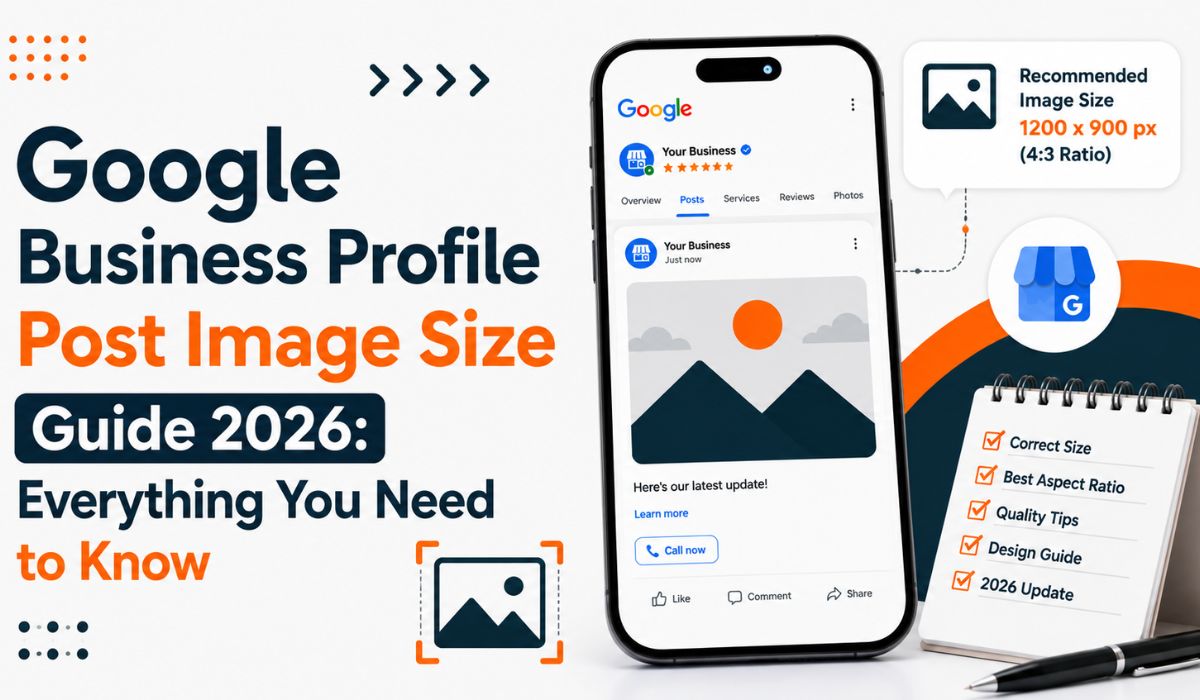
The recommended size for Google Business Profile posts is 1200 × 900 pixels with a 4:3 aspect ratio. This format provides enough space for promotional graphics, product visuals, and business updates while keeping the design balanced.
| Specification | Recommended |
| Recommended post image size | 1200 × 900 px |
| Aspect ratio | 4:3 |
| Minimum resolution | 250 × 250 px |
| Preferred resolution | 720 × 720 px or higher |
| File formats | JPG / PNG |
| Maximum file size | Up to 5 MB |
| Safe zone | Central 80–90% |
The safe zone refers to the central area of an image where important details should be placed. Keeping logos, text, and main visuals away from the edges reduces the chance of information being removed during resizing.
Google Business Profile Image Size Guide: Cover Photos, Logos, Posts & Products
Different image types serve different purposes on a business listing. Using the correct size for each visual helps maintain quality and improves how the company appears to potential customers.
| Image Type | Recommended Size | Aspect Ratio | Purpose | Best Practice |
| Post Image | 1200 × 900 px | 4:3 | Updates, offers, announcements | Keep text and important visuals in the centre |
| Cover Photo | 1024 × 576 px | 16:9 | Main profile visual | Use a clear image that represents your business |
| Logo Image | 250 × 250 px or higher | 1:1 | Brand recognition | Use a simple, high-quality logo with a clean background |
| Product Image | 250 × 250 px or higher | 1:1 | Product display | Show actual products with proper lighting |
| Business Photos | 720 × 720 px or higher | Depends | Location, services, and customer experience | Use fresh, original photos instead of stock images |
A cover photo creates the overall visual identity of a listing, so it should represent the business clearly. Logos should remain simple because they appear in smaller spaces.
Post images are mainly used for communication. They should support the message being shared instead of adding unnecessary information.
Google Business Profile Product Image Size
Product images help customers understand what a business offers before they visit or contact the company. While post images are useful for updates and promotions, product photos focus on showcasing specific items.
The recommended product image size is at least 250 × 250 pixels. While this is different from the Google Business Profile post image size used for updates, square images usually work well because they display products clearly without unnecessary empty space.
| Product Image Requirement | Recommended Details |
| Minimum size | 250 × 250 px |
| Shape | Square |
| Aspect ratio | 1:1 |
| Format | JPG / PNG |
| Quality | Clear and high resolution |
A product image should highlight the item itself. Clean backgrounds, proper lighting, and realistic colours help customers understand the product better.
For example, a bakery can display popular items, a clothing store can showcase designs, and an electronics seller can highlight products.
How to Avoid Image Cropping Issues in Google Business Profile Posts
Uploading a correctly sized image does not always guarantee that it will appear perfectly. The placement of important elements also affects how the final image looks across different devices.
Google may adjust image previews depending on where customers view the listing. Because of this, businesses should keep important details within the central area of the image.
The main elements that should stay away from the edges include logos, product details, faces, promotional text and call-to-action messages.
The 4:3 ratio provides a balanced layout for business updates because it offers enough space for both visuals and text. Images with unusual shapes may still upload, but they have a higher chance of losing important areas during resizing.
Before publishing, businesses should check whether:
- The main subject is easy to identify
- Text remains readable on mobile devices
- Important information is centred
- The image matches the purpose of the post
A properly arranged image helps customers understand the message faster and creates a cleaner business listing.
How to Create Effective Google Business Profile Post Images?
Creating effective GBP images requires more than selecting the right dimensions. The image should support the message and provide useful information.
Businesses should choose visuals that match the update. A product post should show the actual product, while a service post should include a related image. Consistency also matters. Using a similar visual style across posts can help customers recognize the brand. A good image should be clear, relevant, and easy to understand within seconds.
Image Quality Guidelines for Better Business Listings
Image size is only one factor that affects how customers respond to a business listing. The quality and relevance of the image also influence how professional the business appears.
A good business image should be:
- Clear and properly focused
- Well-lit
- Relevant to the service or product
- Easy to understand
- Free from unnecessary editing
According to a Google consumer insights study, 67% of consumers consider high-quality images very important when choosing products or services online. This makes image clarity and presentation an important part of building customer confidence.
For example, a restaurant should use clear photos of actual dishes, while a retail store should showcase real products instead of unrelated stock images.
Businesses should also avoid adding too much text inside images. Small text often becomes difficult to read on smartphones and can reduce the impact of the visual.
What Has Changed Since 2024?
Google Business Profile has evolved from a simple business listing into a more complete customer discovery tool. Businesses now need accurate information, quality visuals, and regular updates to stay competitive. Key changes include:
- Google My Business is now Google Business Profile: The platform has officially moved to the Google Business Profile name, although many users still search for the old Google My Business term.
- Recommended post image size remains the same: Google still recommends using 1200 × 900 px (4:3 ratio) images for Business Profile posts to maintain proper display quality.
- Post expiry behavior has changed: Many Google Business Profile posts now remain visible for around 6 months, replacing the earlier common 7-day expiry expectation.
- More importance of real business photos: Customers prefer authentic visuals that show actual products, services, and locations.
- Mobile-first experience: Images and posts need to remain clear and readable on smaller screens.
- Complete business information matters more: Users often compare photos, reviews, services, and updates before making decisions.
Keeping profiles fresh helps businesses create a better experience for customers searching online.
How Often Should You Update Google Business Posts?
Posting consistently helps keep a business listing fresh and useful for customers who discover a company through Google Search and Maps. For many businesses, publishing a new update once a week is a practical schedule because it keeps information current without overwhelming customers.
Consistency matters more than posting frequently without purpose. According to local search research, around 46% of all Google searches have local intent, which means many users are looking for nearby businesses, services, and products. Keeping business information and updates current helps customers make decisions faster when they find a listing.
Customer behaviour also shows the importance of fresh information. Studies on local search indicate that 76% of people who search for a nearby business on their smartphone visit a related business within 24 hours, while 28% of local searches lead to a purchase. This makes regular updates valuable for businesses that want to provide accurate and timely information.
The ideal posting frequency depends on the business type. Restaurants may share weekly offers or menu changes, retailers can highlight new arrivals, and service providers can post about seasonal services, announcements, and customer updates.
A consistent posting schedule helps businesses maintain an active online presence and gives potential customers a better understanding of what the business currently offers.
Image Checklist Before Upload
Before publishing an image, businesses should review a few important details to make sure the visual appears correctly and communicates the right message. A properly prepared image can improve the overall look of a listing and prevent common display problems.
Use this checklist before uploading:
- Check image quality: Make sure the photo or graphic is clear, sharp, and free from blurriness or unnecessary compression.
- Confirm the correct size and format: Use the recommended Google Business Profile post image size and supported formats such as JPG or PNG to maintain proper display quality.
- Keep important elements visible: Place logos, product details, faces, and text within the main area to reduce the chance of cropping.
- Review mobile appearance: Check that the image remains readable on smaller screens and that text is not too small.
- Match the image with the update: Ensure the visual supports the post message, whether it is an offer, event, product, or announcement.
- Use current information: Avoid outdated images that show old prices, expired offers, or unavailable products.
A final review before publishing helps businesses maintain a professional listing and gives customers accurate, useful information when they discover the business online.
How Mindmingles Helps Create Effective Business Profile Posts
Creating effective Google Business Profile posts requires more than uploading an image and adding a short update. Businesses need clear messaging, relevant visuals, and the correct Google Business Profile post image size to ensure posts look professional across Google Search and Google Maps.
Mindmingles helps businesses streamline the post creation process by combining content planning, visual optimization, and brand-focused messaging. According to Adobe’s research, 38% of people will stop engaging with a website if the layout or content is unattractive, showing the importance of well-designed visuals.
The process focuses on creating GBP posts that balance creativity with purpose. From selecting suitable visuals and organizing information clearly to maintaining brand consistency, each post is designed to communicate quickly and leave a stronger impression on potential customers.
Whether businesses are promoting offers, launching services, sharing updates, or showcasing products, Mindmingles creates optimized content that supports better visibility and a more professional online presence.
Need high-converting Google Business Profile posts?
Mindmingles helps businesses create visually optimized, professionally written GBP posts that improve local visibility and customer engagement. Get Started Today!
FAQs
Q. What is the best Google Business Profile post image size?
The recommended Google Business Profile post image size is 1200 × 900 pixels with a 4:3 aspect ratio. This format helps images display properly across Google Search and Google Maps.
Q. Can I upload vertical or landscape images on Google Business Profile?
Yes, Google Business Profile accepts different image formats, but unusual sizes may get cropped. Using the recommended 4:3 ratio helps keep important details visible.
Q. What file format is best for GBP post images?
JPG and PNG formats are commonly used for Google Business Profile posts. JPG works well for photographs, while PNG is useful for graphics and text-based designs.
Q. Why do my Google Business Profile images look blurry?
Images may appear blurry if they are too small, compressed, or low-quality. Using high-resolution images with the correct dimensions helps maintain clarity.
Q. How often should businesses update Google Business Profile posts?
Many businesses update their posts weekly to keep their profiles fresh. The ideal frequency depends on the business type, offers, events, and customer updates.
Q. Do Google Business Profile post images affect customer engagement?
Yes, clear and relevant images can improve how customers interact with a business listing. High-quality visuals help users understand products, services, and updates faster.