Index Your Website on Bing – Want your website to show up in Bing search results? Just like Google, Bing requires proper indexing for your content to appear. Without it, even your best pages might not reach your target audience.
🧠 What Is Indexing & Why It Matters on Bing
Indexing is the process by which search engines like Bing analyze and store your website’s pages so they can appear in search results. If your website isn’t indexed, it won’t show up at all, no matter how well-designed or keyword-optimized it is.
While Google dominates globally, Bing holds significant search volume, particularly in the U.S. and on desktop devices.
✅ Why Indexing on Bing Matters
🌍 Bing’s Market Share:
- As of 2024, Bing holds around 7% of the global search market, but up to 30% in the US desktop market, thanks to integration with:
- Microsoft Edge
- Windows Search
- Xbox and Cortana
💼 Bing Powers More Than Bing:
- Bing also powers search for Yahoo, DuckDuckGo (partially), and Microsoft products.
For businesses, indexing on Bing can boost visibility, especially among corporate, older, or government users who often use Microsoft defaults
🔍 How to Know If Bing Has Already Indexed Your Website
Before taking any action, check your current index status.
✅ Option 1: Site Operator on Bing
Type this into Bing search:
site:yourdomain.com
If you see listings from your website, it means Bing has already indexed some or all of your pages.
❌ No Results? It means:
- Bing hasn’t discovered your site yet
- Your site is blocking crawlers (via robots.txt)
- Your content might not be crawlable or lacks quality signals
🛠️ Step-by-Step: How to Index Your Website on Bing
Let’s go through the exact process to ensure your site is visible on Bing’s search engine.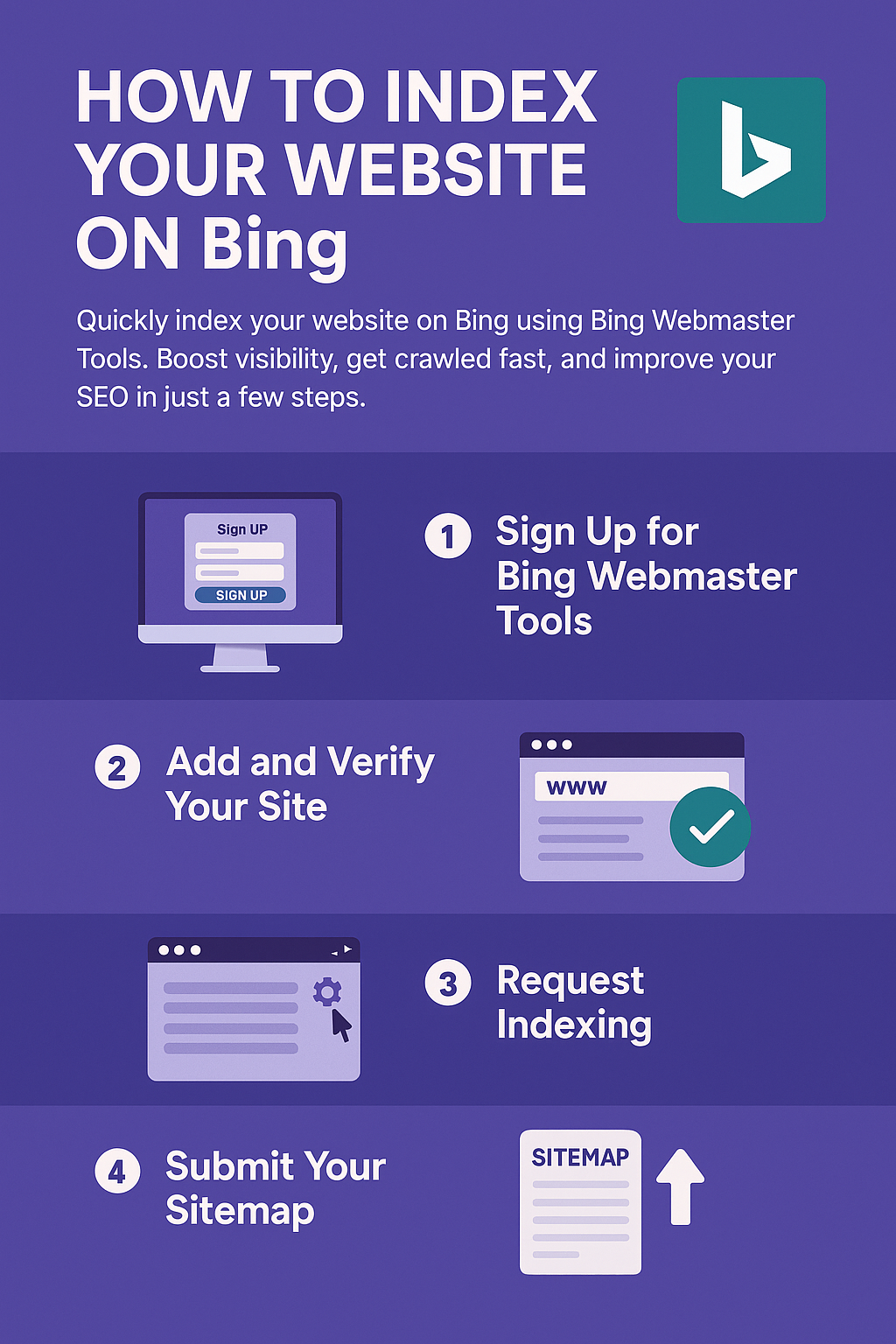
Step 1: Sign Up for Bing Webmaster Tools
👉 Visit: https://www.bing.com/webmasters
You can sign up using a:
- Microsoft Account
- Google Account
- Facebook Account
This tool is completely free and gives you access to performance reports, crawl issues, and more.
Step 2: Add and Verify Your Website
Once inside Bing Webmaster Tools:
- Click “Add a Site”
- Choose one of two methods:
- Import from Google Search Console (fastest)
- Manual entry
✅ Verification Methods:
To prove ownership, you must choose one of these options:
- XML File: Upload a file to your website’s root directory
- Meta Tag: Add a verification tag to your site’s <head> section
- DNS (CNAME Record): Add a custom DNS entry
⚡ Quick Tip: The meta tag method is fast, ideal for WordPress or non-tech users.
Step 3: Submit URLs Manually
After verification, use the URL Submission Tool:
- Navigate to Configure My Site > Submit URLs
- You can submit:
- New pages
- Updated pages
- Up to 10,000 URLs per day!
🔁 This is extremely helpful when you’ve published fresh content or made significant updates.
Step 4: Submit Your Sitemap
A sitemap tells Bing how your site is structured and which pages to crawl.
What is a Sitemap?
It’s an XML file (usually located at /sitemap.xml) listing all the important URLs of your website.
How to Add It in Bing:
- Go to Sitemaps in your Bing Webmaster Tools dashboard
- Enter:
https://yourdomain.com/sitemap.xml
- Click Submit
🧭 Pro Tip: Make sure your sitemap is up to date, error-free, and submitted whenever you add major new content.
📊 Bing Indexing Statistics at a Glance
Feature | Details |
| Market Share (Global) | ~7.3% |
| U.S. Desktop Share | ~29.5% |
| Bing-Powered Monthly Searches | 1+ Billion |
| Max URLs/Day via Submission Tool | 10,000 |
| Sitemap Protocol Supported | Yes (XML, RSS, Atom) |
| Verification Methods | XML, Meta Tag, DNS |
Must Read : 50+ Free Search Engine Submission Sites
🧰 Additional Tips to Improve Indexing on Bing
Indexing is just the beginning. Here’s how to make sure your pages are consistently crawled and ranked.
✅ Use Structured Data
Implement Schema.org markup to help Bing understand your content (like product info, events, FAQs).
✅ Optimize for Mobile & Speed
Bing considers mobile usability and loading speed, just like Google.
- Use responsive design
- Compress images
- Reduce JavaScript bloat
✅ Avoid Technical SEO Mistakes
- Don’t block Bingbot in your robots.txt
- Use canonical tags correctly
- Eliminate duplicate content
✅ Earn Quality Backlinks
Bing places more weight on backlinks than Google does. Focus on:
- Authoritative directories
- Press mentions
- Niche-relevant guest posts
✅ Use Descriptive ALT Text
Bing Image Search can drive traffic. Always use:
- Meaningful filenames (blue-running-shoes.jpg)
- Clear ALT text for every image
🧠 Expert Insight: What Bing’s Algorithm Prefers
- Exact-match keywords still carry weight
- Strong meta titles and clear H1 headings
- User engagement signals (low bounce rate, time on site)
- Simple, crawlable site structure
Unlike Google, Bing’s algorithm is less AI-driven and more rule-based, meaning clarity and structure still matter more than nuance.
📋 Final Checklist
Before wrapping up, confirm you’ve done the following:
✅ Created a Bing Webmaster Tools account
✅ Verified website ownership
✅ Submitted main site URLs
✅ Submitted your sitemap
✅ Implemented structured data
✅ Ensured mobile-friendly design
✅ Built quality backlinks
✅ Monitored performance in Bing dashboard
Frequently Asked Questions
Q. How long does it take for Bing to index a website?
Bing typically indexes new pages within 1-7 days, depending on crawl frequency and site authority.
Q. Can I index my site on Bing without Webmaster Tools?
Yes, Bing may naturally discover your site, but using Webmaster Tools ensures faster and more reliable indexing.
📢 Final Thoughts
Bing is often overlooked—but it shouldn’t be. With integration into Windows, Office, and Edge, indexing on Bing gives your brand additional reach, especially in high-value markets like education, enterprise, and government.
🧭 Get ahead of the competition by indexing your website on Bing today. A few simple steps can unlock powerful visibility and sustainable traffic.